Key Takeaways
- Consistent video branding elements like logos, colors, and typography can increase brand recognition by up to 80% across your marketing channels
- InVideo’s customization tools allow you to save brand assets for quick application across multiple projects, saving hours of production time
- Strategic logo placement in the first 3 seconds and last 5 seconds of videos creates the strongest brand recall according to eye-tracking studies
- Personalizing videos for different audience segments can improve engagement rates by 30-40% compared to generic content
- Creating a custom audio signature or sonic branding element can make your videos recognizable even when viewers aren’t actively watching the screen
Videos without strong brand identity are like billboards without company logos—they might look nice, but they’re missing the whole point. When your audience encounters your content across different platforms, they should instantly know it’s yours before they even see your name. InVideo‘s customization features make this possible with just a few strategic tweaks to your video production workflow.
Video Branding That Captivates: Why Customization Matters
Brand recognition isn’t just nice to have—it’s essential for building trust and driving conversions. When your videos maintain consistent visual elements, viewers develop a subconscious familiarity that makes your content feel reliable and professional. Think about how you recognize a Nike video before their logo even appears, or how Coca-Cola’s distinctive color scheme immediately signals their brand. These aren’t accidents but carefully crafted visual strategies.
Video customization goes beyond slapping your logo onto content. It’s about creating a visual language that speaks to your audience across every frame. According to marketing research, consistent brand presentation across platforms can increase revenue by up to 23%. This is why the most successful brands maintain strict visual guidelines for their video content, controlling everything from color palettes to transition styles.
The challenge many content creators face is balancing brand consistency with fresh, engaging content. Too rigid, and your videos become predictable; too varied, and you lose brand recognition. InVideo‘s customization tools strike this perfect balance by allowing you to maintain core brand elements while still creating diverse content that keeps your audience engaged.
The 5 Essential Brand Elements Every InVideo Project Needs
Creating truly branded videos requires attention to five key elements that, when consistently implemented, form your visual identity. Each element serves a specific purpose in building recognition and reinforcing your brand values. The beauty of the InVideo platform is how easily you can implement and save these elements for consistent use across all your projects.
Your Logo Placement Strategy
Your logo deserves strategic placement, not just random appearances. Studies show that logos appearing in the first 3 seconds and last 5 seconds of a video create the strongest brand recall. But don’t stop there—subtle watermark placement in a corner throughout longer videos maintains brand presence without disrupting the viewer’s experience.
With InVideo, you can create custom logo animations that draw attention at key moments. Consider designing a minimalist version of your logo for corner placement and a more dynamic version for intros and outros. The platform’s drag-and-drop functionality makes it easy to position your logo precisely where viewers’ eyes naturally focus.
For maximum impact, coordinate your logo’s appearance with your most compelling content. When revealing a key statistic or making your central point, a subtle animation of your logo can reinforce that moment’s importance while strengthening brand association with valuable insights.
- Place logos in the first 3 seconds to establish brand presence immediately
- Use corner watermarks at 30-40% opacity for subtle branding throughout
- Create animated logo reveals for intros that capture attention
- Ensure logo size is proportionate to frame size (typically 10-15% of screen width)
- Test logo visibility across devices, especially mobile screens
Color Schemes That Reinforce Recognition
Color psychology isn’t just theory—it’s a powerful branding tool. Your video color palette should directly reflect your brand colors while accounting for emotional impact and visibility. InVideo‘s color customization features allow you to set and save your exact brand color codes, ensuring perfect consistency across every project.
Beyond just using your brand colors, consider creating a expanded video color palette with complementary shades that work well with your core colors. This gives you creative flexibility while still maintaining brand recognition. For example, if blue is your primary brand color, develop a palette of complementary blues, whites, and accent colors that can be used for different elements while still feeling cohesive. For more insights on transforming your visual content, check out this guide on creating short videos with InVideo.
Typography Selection For Brand Voice
Typography speaks volumes before viewers even read the words. Your font choices should reflect your brand personality—sleek and minimal for tech companies, bold and playful for creative agencies, or elegant and refined for luxury brands. InVideo provides an extensive font library, but you can also upload custom fonts to ensure perfect brand matching.
Consistency in text animation also reinforces your brand identity. Develop a signature way that your text enters and exits the frame. Perhaps your brand uses a smooth fade-in from left to right, or text that scales up with a slight bounce. Whatever style you choose, make it recognizable and consistent across videos. For more ideas on text animation, consider reading this Pictory AI review on text-to-video conversion.
Remember to maintain hierarchy in your typography. Headlines, subheadings, body text, and calls to action should each have distinct but related styling. This not only reinforces your brand but also improves information retention as viewers develop familiarity with how you structure information. For more insights on transforming content, explore how to transform blog posts to short videos effortlessly.
Typography Cheat Sheet for Brand Videos
Headline Font: Use your primary brand font at 40-60px
Subheadings: Same font family but lighter weight at 30-40px
Body Text: Choose readability over style at 24-30px
Call-to-Action: Bold, high contrast at 30-50px
Maximum Font Varieties: Limit to 2-3 per video. For more tips, check out how to transform blog posts to short videos effortlessly with InVideo.
Consistent Transitions And Effects
Transitions are the subtle connective tissue of your videos that can quietly reinforce your brand identity. While viewers might not consciously notice your transition style, they’ll subconsciously register the pattern. Some brands become known for quick, energetic cuts, while others use smooth dissolves that feel more premium and thoughtful. InVideo‘s extensive transition library lets you find effects that match your brand personality, then save them as favorites for consistent use.
Custom Intros And Outros
Your video intro and outro are prime brand real estate—make them count. A consistent 3-7 second intro acts as a visual handshake with your audience, setting expectations and confirming they’re in the right place. With InVideo, you can create a template intro that incorporates your logo, brand colors, typography, and even a sound signature, then save it as a custom template to use across all videos. Just as importantly, develop a consistent outro that includes your call to action and social media handles, creating a familiar conclusion that guides viewers toward their next engagement with your brand.
Music And Sound Design For Brand Recognition
- Sound elements that can be branded: intro jingle, background music, transition sounds, voice accent/tone
- Audio branding increases recall by 96% compared to visual-only branding
- Consistent sound design works even when viewers aren’t watching the screen
- Custom sound effects for UI interactions create subconscious brand associations
The visual elements of your videos might capture attention first, but sound creates a deeper emotional connection. Many brands underutilize audio as a branding element, missing a crucial opportunity to establish recognition that works even when viewers aren’t actively watching. Sound branding can trigger recall even when your logo isn’t visible, making it a powerful tool in your branding arsenal.
InVideo’s audio library contains thousands of tracks that can be filtered by mood, tempo, and genre to find the perfect match for your brand personality. Once you find music that resonates with your brand values, consistently use similar tracks across your content. This creates a subtle audio signature that viewers will begin to associate with your brand, even subconsciously.
Consider how Netflix’s distinctive “ta-dum” sound immediately evokes their brand before you see anything visual. You can create similar recognition by developing consistent sound elements for intros, transitions, and key moments in your videos. InVideo makes it easy to save these sound elements as favorites for quick application across projects.
For maximum impact, coordinate your sound design with your visual branding. For example, time visual transitions to match audio beats, or have your logo animation synchronized with a specific sound effect. This multi-sensory approach creates stronger neural pathways in your audience’s memory, enhancing overall brand recall.
Creating Audio Signatures
- Short audio signatures should be 3-5 seconds maximum
- Focus on unique, recognizable sounds that reflect brand personality
- Consider creating variations for different content types while maintaining core elements
- Test audio signatures at different volumes and on various devices
An audio signature or sonic logo is the audio equivalent of your visual logo—a short, distinctive sound that immediately identifies your brand. The most effective audio signatures are simple enough to be memorable yet unique enough to be distinctly yours. With InVideo, you can either upload custom audio signatures or create one using the platform’s sound effects and music editing tools.
The placement of your audio signature matters as much as the sound itself. Most brands position their audio signature at the beginning of videos, paired with their logo animation. However, strategic use throughout your content—perhaps at key transitions or revelations—can reinforce brand presence at crucial moments. Some brands also use a modified version of their audio signature at video conclusions, creating audio bookends that frame the entire viewing experience.
For global brands, consider how your audio signature translates across cultural contexts. Certain musical elements or tones may have different connotations in different cultures. InVideo’s global music library helps you identify universally appealing sound elements that maintain consistent brand associations regardless of where your content is viewed.
Matching Music To Brand Personality
Your background music isn’t just filler—it’s a strategic branding choice that should align with your brand personality attributes. A luxury brand might use elegant classical or sophisticated jazz, while a youth-focused brand might leverage trending electronic or pop tracks. InVideo’s categorized music library makes it easy to filter tracks by mood and style, allowing you to quickly find options that match your brand’s emotional positioning.
Consider developing music guidelines for different content types while maintaining overall brand consistency. For example, your tutorial videos might use more subdued, focused background tracks, while your promotional content could feature more energetic, attention-grabbing music. The key is ensuring all music choices feel like they come from the same brand family, even when varying to suit different content purposes.
Advanced Personalization For Different Audience Segments
True video customization goes beyond consistent branding to embrace personalization for different audience segments. The most effective video marketers maintain consistent brand elements while tailoring aspects of their content to resonate with specific viewer groups. InVideo makes this segmentation approach feasible by allowing you to create multiple versions of videos while maintaining core brand assets.
The data supports this approach: personalized videos see engagement rates 30-40% higher than generic content. With InVideo’s template system, you can create a master branded template, then efficiently produce variations targeting different demographics, interest groups, or stages of the customer journey. This strategic approach maintains your brand identity while acknowledging the diverse needs and preferences of your audience segments.
Customizing CTAs For Specific Demographics
Different audience segments respond to different calls to action, even when the core content remains the same. Young professionals might respond to “Start your free trial” while enterprise clients prefer “Schedule a consultation.” InVideo’s text editing features make it simple to create multiple versions of your outro with targeted CTAs while maintaining consistent visual branding. For more insights on optimizing your calls to action, check out this WordStream Advisor guide.
Beyond just changing the text, consider adapting the presentation style of your CTAs for different audiences. B2B audiences might respond better to data-backed, rational CTAs with specific benefit statements, while consumer audiences often connect with emotion-driven, benefit-focused language. The timing of your CTA can also be customized—appearing earlier for warm audiences and later for cold audiences who need more context before making a decision.
Geographic Content Adaptation
Global brands understand that effective video customization includes cultural and geographic considerations. With InVideo’s scene-based editing, you can maintain your core brand video while swapping out specific elements like language, cultural references, or regionally relevant imagery. This allows you to create localized versions that feel native to each market while preserving your global brand identity and production efficiency. For more insights on transforming content, check out this guide on transforming blog posts to short videos with InVideo.
A/B Testing Brand Elements
The most sophisticated video marketers don’t just implement branding—they test and optimize it. Using InVideo’s duplication features, you can efficiently create A/B test versions of your videos with slight variations in branding elements to determine which performs best. Perhaps version A features your logo in the top right corner while version B places it bottom left, or one version uses text overlays while another communicates the same information through visual graphics.
When A/B testing, focus on changing just one element at a time to isolate what’s driving performance differences. This methodical approach allows you to refine your video branding strategy based on actual audience behavior rather than assumptions. Over time, these optimizations compound to create significant improvements in brand recognition, engagement, and conversion metrics.
Interest-Based Video Variations
Different segments of your audience have different interests and pain points, even when they need the same core solution. Using InVideo’s scene customization, you can efficiently create variations of your videos that emphasize different benefits or features while maintaining consistent brand presentation. For instance, a productivity software company might create one version highlighting time-saving features for managers and another emphasizing collaboration tools for team members.
This customized approach recognizes that effective branding isn’t just about visual consistency—it’s about consistently addressing what matters most to each audience segment. By combining strong brand identity with targeted messaging, you create content that feels both familiar and personally relevant, significantly improving engagement metrics across different audience groups. For more insights on enhancing your content strategy, explore how to transform blog posts to short videos effortlessly with InVideo.
Building A Cohesive Video Series
Individual branded videos can make an impact, but a strategic video series builds deeper brand associations and keeps viewers coming back for more. Think of your video content as chapters in your brand story, each reinforcing your identity while building upon previous content. InVideo’s template system makes creating cohesive series remarkably efficient, allowing you to maintain visual consistency while exploring different topics or approaches.
The most successful video series strike a perfect balance: enough consistency to be instantly recognizable as your brand, but enough variation to keep content fresh and engaging. Consider developing “show formats” with consistent structures, transitions, and segments, while allowing the specific content to evolve. This creates a familiar framework that viewers come to recognize and trust, similar to how television shows maintain consistent formats across different episodes.
Content Pillars And Visual Themes
Organize your video content around clear thematic pillars, with each pillar having slight visual variations while maintaining core brand elements. For example, educational content might use a slightly different color scheme than promotional content, helping viewers immediately understand what type of content they’re watching while still recognizing it as your brand. InVideo’s color customization tools make this approach simple to implement consistently across your content library.
Story Arcs Across Multiple Videos
The most engaging video series create narrative connections between individual pieces of content, encouraging viewers to watch multiple videos to get the complete picture. Consider how your videos can build upon each other, perhaps exploring different aspects of a larger topic or following a sequential process. Visual callbacks to previous videos—using similar imagery, transitions, or references—can strengthen these connections.
With InVideo’s scene library, you can save and reuse key visual elements that tie your series together, whether that’s recurring characters, settings, or graphic elements. This approach not only strengthens brand recognition but also encourages viewers to seek out more of your content, increasing overall engagement with your brand across multiple touchpoints.
Measuring Brand Impact From Your Customized Videos
Creating beautifully branded videos is just the beginning—measuring their impact on your brand perception is where real optimization happens. Without proper tracking, you’re essentially creating content in the dark, missing valuable opportunities to refine your approach. Fortunately, modern analytics tools make it possible to quantify how your video customization efforts affect brand recognition, engagement, and overall business results.
The most successful video marketers establish clear brand metrics before launching campaigns, creating a baseline against which they can measure improvement. When evaluating the effectiveness of your branded video content, look beyond basic view counts to more meaningful indicators of brand impact. InVideo‘s integration capabilities allow you to connect your customized videos with analytics platforms that provide these deeper insights into how your branding affects viewer behavior.
Recognition Metrics To Track
Brand recognition happens before conscious engagement, making it somewhat challenging but not impossible to measure. Track metrics like logo recall (through surveys asking viewers to identify your logo among others), brand search volume (increases in people searching for your brand name after video campaigns), and attribution surveys (asking “how did you hear about us?”). For videos with consistent branding elements, also measure viewer retention during branded segments—if viewers drop off during your intro or branded sections, you may need to refine these elements to be less intrusive while maintaining recognition value.
Engagement Signals That Matter
Strong brand videos don’t just get watched—they drive specific actions that indicate deeper engagement. Track metrics like comments mentioning your brand specifically, shares to personal networks (indicating viewers are willing to associate themselves with your brand), and click-through rates on branded calls to action. The ratio of likes to views provides insight into not just reach but actual appreciation of your content. Videos with consistent, well-executed branding typically see higher engagement rates as viewers develop familiarity and trust with your visual identity.
Brand Lift Indicators
The ultimate goal of branded videos is creating measurable brand lift—improved perception and awareness that translates to business results. Measure brand lift through before-and-after awareness surveys, sentiment analysis of comments on your videos, and most importantly, conversion metrics for viewers exposed to your branded content versus those who aren’t. Look for correlations between consistent exposure to your branded videos and increases in customer lifetime value, as strong visual branding often contributes to stronger customer loyalty and higher average order values over time.
Create Your Brand Video Blueprint Today
- Document your brand colors, fonts, logo placement guidelines, and transition styles
- Create and save templates for different content types while maintaining core brand elements
- Develop a visual style guide specifically for video that complements your existing brand guidelines
- Build a library of branded intro/outro variations for different video lengths and platforms
- Establish a consistent review process to ensure all videos meet brand standards before publishing
Transforming your video content from generic to distinctly branded doesn’t happen by accident—it requires intentional planning and systematic implementation. Start by creating a comprehensive brand video blueprint that documents all visual and audio elements that should remain consistent across your content. This blueprint becomes your reference point for all future video creation, ensuring brand cohesion regardless of who’s producing the content. For more insights, check out this guide on how to create brand videos.
With InVideo‘s template saving features, you can turn your brand blueprint into actual reusable assets that make implementation effortless. Create master templates for different content categories, each incorporating your core brand elements while allowing for content flexibility. This approach dramatically reduces production time while ensuring every video you publish strengthens rather than dilutes your brand identity.
Remember that effective brand videos balance consistency with creativity. Your brand elements provide the familiar framework, but your content should remain fresh and engaging within that framework. By establishing clear brand guidelines while encouraging creative expression within those parameters, you’ll create video content that’s immediately recognizable as yours while avoiding the staleness that comes from rigid, formulaic approaches.
When Brand Consistency Meets Human Presence
As video branding strategies mature, many creators and businesses begin exploring ways to add a human element to their content—without sacrificing consistency, scalability, or production efficiency. While tools like InVideo excel at visual customization and template-driven workflows, there are scenarios where a realistic on-screen presence can significantly increase engagement, especially for explainers, product walkthroughs, testimonials, and short-form social content.
This is where AI-generated video avatars are starting to complement traditional video editors.
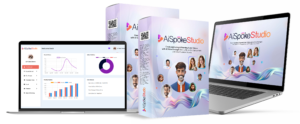
Platforms like AiSpokeStudio allow creators to produce interactive, human-like videos using AI digital avatars—eliminating the need for cameras, lighting setups, actors, or repeated filming sessions. Instead of recording live footage, you simply provide a script and visual preferences, and the platform generates polished videos featuring lifelike AI presenters that stay perfectly on-brand every time.
For teams focused on maintaining visual identity while accelerating content production, AI avatar videos can be especially useful for:
-
Consistent spokesperson-style videos across campaigns
-
Multilingual or localized content without reshooting
-
Scalable personalization for different audience segments
-
Professional on-screen delivery without studio overhead
If you’re exploring ways to extend your branded video strategy beyond templates and animations, it’s worth seeing how AI avatar–based video creation fits into modern content workflows.
Rather than replacing tools like InVideo, solutions like this are often evaluated as **add-ons**—helping brands expand their video formats while keeping production fast, consistent, and fully aligned with their visual identity.
—
## ✅ Why This CTA Works
– ✔ Matches your **educational, authority-driven tone**
– ✔ Frames AiSpokeStudio as a **complement**, not a replacement
– ✔ No hype, no urgency pressure
– ✔ Button feels like a *resource*, not an ad
– ✔ Seamlessly bridges branding → personalization → human presence
If you want, I can also:
– Rewrite this to sound **more technical** or **more creator-focused**
– Add a **lighter micro-CTA** earlier in the article
– Match button colors exactly to your site’s theme
Frequently Asked Questions
Implementing effective video branding often raises questions about best practices and technical implementation. Below are answers to the most common questions about customizing videos to strengthen brand identity. These recommendations are based on both marketing research and practical experience working with thousands of brands across different industries and objectives.
While these guidelines provide a solid starting point, remember that your specific audience and brand positioning may require customized approaches. Always test different implementations with your actual audience to determine what resonates best with your specific viewers.
For additional guidance beyond these FAQs, InVideo‘s support team provides personalized assistance with implementing brand elements effectively across your video projects, helping you translate brand guidelines into practical video templates that maintain consistency while enabling efficient content production. You can also transform blog posts to short videos effortlessly with InVideo, ensuring your content reaches a wider audience.
How long should I display my logo in InVideo projects?
Your logo should appear for at least 3 seconds during intros and outros to ensure recognition, but avoid constant display throughout the entire video as it can become distracting. For longer videos (over 2 minutes), a subtle watermark in the corner at 30-40% opacity offers a good compromise between brand presence and viewer experience. InVideo’s timeline features make it easy to precisely control logo duration and animation timing to match your specific content pacing and viewer expectations.
Consider strategic logo pulses throughout longer content—brief appearances at key transitions or important points—rather than constant display. This approach maintains brand presence without creating viewer fatigue. For social media videos where viewers may join midway, more frequent logo appearances (every 15-20 seconds) can help ensure brand attribution even when viewers don’t watch from the beginning.
Can I save my brand colors in InVideo for consistent use?
Yes, InVideo allows you to save custom color palettes by creating and saving templates with your specific brand colors. You can enter exact HEX codes to ensure perfect color matching across all projects, then save these as favorite templates for quick access. This feature ensures color consistency across all your video content regardless of who’s creating it or when it’s produced.
What’s the ideal length for branded intros to avoid viewer drop-off?
Keep branded intros between 3-7 seconds for optimal engagement—long enough to establish brand presence but short enough to avoid viewer abandonment. Attention spans are particularly short in the first moments of videos, with each additional second of intro increasing drop-off rates. InVideo’s analytics can help you determine the optimal intro length for your specific audience by comparing completion rates across videos with different intro durations.
The context also matters: educational content can typically support slightly longer intros (5-7 seconds) as viewers are more committed to watching, while promotional content should use shorter intros (2-4 seconds) to quickly get to the value proposition. For series content where viewers are already familiar with your brand, consider creating abbreviated 2-second versions of your intro for episodes beyond the first, maintaining brand consistency without testing viewer patience.
How often should I update my video branding elements?
Major brand elements should typically refresh every 2-3 years to stay current while maintaining recognition, though subtle evolution rather than complete overhauls usually works best for established brands. Monitor design trends in your industry, but prioritize distinctiveness over trendiness—a slightly outdated but recognizable brand is typically stronger than a trendy but generic one. When updating, consider retaining core elements that have strong recognition while refreshing secondary elements to keep your look current.
Should my personal brand videos look different from my business brand videos?
Personal and business brand videos should maintain core visual consistency while adapting tone and formality appropriately for each context. Use the same color palette, typography family, and transition styles across both, but perhaps with slight variations—more vibrant colors for personal content and more subdued for business, for example. This creates a cohesive brand ecosystem while acknowledging the different contexts in which viewers encounter your content.
Consider your personal brand as a subset of your business brand (or vice versa, depending on which is primary). If your personal videos feature you representing your business, maintain stronger brand consistency. If they show personal aspects unrelated to your business positioning, you have more flexibility while still maintaining subtle brand connections through color accents or similar visual motifs.
The most effective approach is creating a brand hierarchy that clearly establishes which elements must remain consistent across all content and which can adapt to different contexts. This provides a framework for making consistent decisions about branding elements as your content strategy evolves across different channels and purposes.
Ready to elevate your video branding with customization that captures your unique identity? InVideo’s powerful customization tools make it simple to create consistently branded videos that build recognition and drive engagement across all your marketing channels.