
Article-At-A-Glance: Getting Started with WordStream Advisor
- WordStream Advisor streamlines PPC management by offering intuitive tools for Google Ads optimization in one dashboard
- The initial setup process involves creating an account, connecting your ad platforms, and importing campaigns
- Configuring conversion tracking and performance goals are essential first steps for measuring campaign success
- WordStream’s 20-Minute Account Wizard provides automated optimization recommendations to improve performance quickly
- Proper campaign structure and keyword organization within the platform lead to more efficient budget allocation and higher ROI
Managing PPC campaigns can feel overwhelming when you’re just starting out. WordStream Advisor offers a solution that simplifies this complex process, giving you powerful tools without requiring advanced expertise. With the right setup approach, you’ll be optimizing campaigns like a pro in no time.
Why WordStream Advisor Will Transform Your PPC Campaigns
WordStream Advisor acts as your personal PPC assistant, analyzing account performance and suggesting improvements you might miss. The platform excels at identifying wasted spend, highlighting optimization opportunities, and streamlining workflows that would normally take hours into simple, actionable steps. For beginners especially, the guided optimization process removes much of the guesswork from PPC management.
What truly sets WordStream apart is its intuitive interface combined with powerful automation. Rather than toggling between multiple platforms and spreadsheets, you get a centralized dashboard that translates complex PPC data into clear recommendations. This means you can focus on strategic decisions instead of getting lost in technical details or data analysis.
Creating Your WordStream Advisor Account: First Steps
Getting started with WordStream requires minimal technical knowledge but following the correct sequence ensures you’ll maximize its benefits from day one. The platform is designed to guide you through each step, but understanding the overall process beforehand will help you make better decisions during setup.
How to Sign Up and Connect Your Ad Accounts
Begin by visiting WordStream’s official website and clicking the “Get Started” or “Free Trial” button to create your account. You’ll need to provide basic information including your name, email address, and company details. Once registered, you’ll gain access to your new WordStream dashboard where the real setup begins.
Next comes the crucial step of connecting your advertising accounts. From your dashboard, select “Add Account” and choose which platforms you want to connect (Google Ads, Microsoft Ads, Facebook, etc.). WordStream will guide you through the authentication process, which typically involves logging into each platform and granting permission for WordStream to access your account data. This secure connection allows WordStream to analyze your campaigns without changing anything until you approve.
Navigating the Dashboard Interface
The WordStream dashboard is thoughtfully designed to provide immediate value even to beginners. The main navigation menu offers access to all major features, with the home screen displaying a performance snapshot of your connected accounts. Take time to familiarize yourself with key sections including the Performance Dashboard, 20-Minute Work Week, QueryStream, and Opportunity tabs.
Customization options allow you to prioritize the metrics that matter most to your business. Click the settings gear icon in each section to adjust which KPIs display prominently. For beginners, focusing on impressions, clicks, conversions, and cost metrics provides a solid foundation for understanding campaign performance at a glance. For a deeper understanding, you might find this Adbeat tutorial helpful in analyzing competitive metrics.
Setting Up User Permissions and Team Access
If you’re working with a team, WordStream offers robust user management capabilities to control access and permissions. Navigate to Account Settings > User Management to add team members and assign appropriate roles. For agencies managing client accounts, the hierarchical permission system ensures each user sees only what they need to while maintaining overall account security.
5 Critical Setup Tasks for New WordStream Users
Before diving into campaign optimizations, completing these five essential setup tasks will ensure WordStream delivers maximum value. Each step builds upon the previous one, creating a solid foundation for ongoing campaign management.
1. Import Your Existing Campaigns
If you already have campaigns running, WordStream will automatically import them when you connect your advertising accounts. Once imported, review your campaign structure to ensure everything transferred correctly. This is also an excellent opportunity to identify any organizational improvements you might make within the WordStream environment. For those starting fresh, WordStream provides campaign creation templates that align with best practices for various industries and objectives.
Making the Most of WordStream’s Key Features
After completing your initial setup, it’s time to explore WordStream’s powerful toolset designed to maximize your PPC performance. Each feature addresses specific aspects of campaign management, from keyword discovery to ad creation, all streamlined for efficiency and effectiveness.
WordStream’s value comes from its ability to simplify complex PPC tasks into manageable workflows. The platform’s interface organizes these tools logically, allowing you to progress from research to implementation without switching between multiple systems or getting lost in technical details.
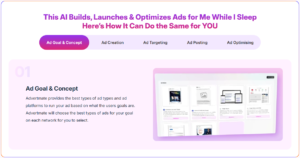
As you get more comfortable navigating WordStream and managing your campaigns, you’ll notice how much easier PPC becomes when the right automations are in place. And while WordStream handles a big portion of optimization inside your accounts, some marketers prefer having an even more streamlined way to create, launch, and manage ads across multiple platforms—especially when juggling Google, Facebook, Microsoft, TikTok, or more.
If that kind of centralized workflow sounds helpful, you might appreciate another tool that complements what you’re learning here. It’s called Advertmate, and it’s an AI-powered platform that lets you build, automate, and optimize ads from one dashboard—perfect for beginners who want to reduce complexity and focus on strategy instead of repetitive tasks.
The QueryStream Tool for Keyword Discovery
QueryStream is WordStream’s proprietary keyword discovery tool that reveals exactly what search queries are triggering your ads. Unlike Google’s search terms report, QueryStream presents this data in an interactive, actionable format that helps you make immediate improvements. The tool highlights high-performing queries that should be added as keywords and identifies irrelevant searches that are wasting your budget.
To use QueryStream effectively, filter results by metrics like cost, conversions, or CTR to prioritize your attention where it matters most. The interface allows you to add promising queries as keywords or designate poor performers as negatives with a single click. Regular QueryStream sessions (weekly is recommended) ensure your keyword strategy evolves with changing search behaviors and market conditions.
Performance Dashboard Customization
WordStream’s Performance Dashboard serves as your campaign command center, but its true power emerges when customized to your specific needs. Navigate to the dashboard settings to select which metrics appear prominently based on your campaign goals. For conversion-focused campaigns, prioritize cost-per-conversion and conversion rate; for brand awareness initiatives, emphasize impression share and click-through rates. Learn more about how to effectively run Google Ads to enhance your campaigns.
Take advantage of the date comparison feature to track performance trends over time. The visual graphs make it easy to spot patterns that might be missed in spreadsheets or raw data. For additional insights, create saved views for different analysis perspectives—one focused on budget pacing, another on conversion performance, and perhaps a third on competitive metrics like impression share.
The 20-Minute Work Week Feature
The 20-Minute Work Week is WordStream’s signature feature designed to streamline account optimization. This guided workflow analyzes your account performance and presents the highest-impact recommendations in a prioritized list. Each suggestion includes an explanation of the expected benefit and a simple interface to implement the change directly.
For beginners, this structured approach demystifies account optimization by focusing on proven tactics like adjusting bids for high-performing keywords, pausing underperforming ads, and adding negative keywords to eliminate wasted spend. The beauty of this system is that it adapts to your account’s specific needs, highlighting only the most relevant opportunities each week rather than overwhelming you with a standardized checklist.
Smart Ads Creator for Quick Ad Generation
WordStream’s Smart Ads Creator simplifies the process of writing compelling ad copy across multiple formats. The tool suggests headlines and descriptions based on your landing page content, competitors’ ads, and best practices for your industry. For beginners struggling with writer’s block or uncertain about what makes effective ad copy, this feature provides a valuable starting point that can be refined based on performance data. For those interested in expanding their advertising toolkit, consider exploring this Adbeat tutorial for additional insights into competitive ad analysis.
Landing Page Builder Essentials
Even the best ads underperform when they lead to poor landing pages. WordStream’s Landing Page Builder offers templates designed specifically for PPC campaigns, with mobile-responsive layouts, fast loading times, and conversion-optimized elements. The drag-and-drop interface requires no coding knowledge, allowing you to create and test different landing page variations to identify what resonates best with your audience.
Campaign Setup Best Practices in WordStream
Proper campaign structure within WordStream lays the foundation for both effective management and optimal performance. The platform offers flexibility to organize campaigns according to your business objectives, but following certain structural principles will make optimization much more straightforward as your account grows.
Campaign Structure Recommendations
Organize your campaigns by product line, service category, or business objective to maintain clear performance visibility. Within WordStream, this logical separation allows you to allocate budgets strategically and adjust bids according to the value each campaign brings to your business. For local businesses, consider creating separate campaigns for different service areas to control geographic targeting precisely and measure regional performance differences. For more detailed guidance, check out this Adbeat tutorial to enhance your campaign strategies.
Keyword Organization Strategies
WordStream excels at keyword management when you group related terms into tightly themed ad groups of 10-20 keywords each. This approach enables you to write highly relevant ad copy that speaks directly to the searcher’s intent. The platform’s keyword suggestion tool can help expand your initial seed keywords into comprehensive groups, while the negative keyword tools prevent overlap between ad groups that might otherwise compete against each other.
Ad Group Naming Conventions That Work
Implement a consistent naming convention for your ad groups to simplify navigation and reporting as your account grows. Effective formats include descriptive labels like “Service-Type-Location” (e.g., “Plumbing-Emergency-Boston”) or “Product-Category-Intent” (e.g., “Shoes-Running-Comparison”). Within WordStream, these structured names make filtering and sorting much more efficient during analysis and optimization sessions. To further enhance your ad strategy, you might consider tools that maximize mobile engagement and improve ad performance.
Consider adding performance indicators to your naming convention for quick reference, such as “HP” for high-performing groups or “TEST” for experimental structures. This practice creates visual cues that help prioritize your attention during routine management tasks.
Optimization Tactics for Better PPC Performance
WordStream Advisor truly shines in its optimization capabilities, transforming complex PPC management into straightforward, data-driven decisions. The platform continuously analyzes your account performance against industry benchmarks and your historical data to identify specific improvement opportunities.
Successful optimization in WordStream follows a cyclical process of implementation, measurement, and refinement. Each change you make creates new performance data that informs your next round of optimizations. This iterative approach allows you to progressively improve results rather than making dramatic changes that might disrupt campaigns that are working well.
For beginners, WordStream’s guided optimization approach prevents common pitfalls like making too many simultaneous changes or focusing on metrics that don’t align with your business goals. The platform contextualizes each recommendation with expected impact and implementation difficulty, helping you prioritize your efforts efficiently.
- Review performance metrics at least weekly to identify trends early
- Implement high-impact, low-effort optimizations first
- Test one significant change at a time to clearly measure impact
- Document your optimization decisions and outcomes for future reference
- Use WordStream’s A/B testing tools to compare variations systematically
Remember that optimization isn’t just about fixing problems—it’s equally important to identify what’s working well and expand upon those successful elements. WordStream’s performance insights highlight both underperforming areas and top performers that might benefit from additional investment.
Using the Opportunity Tab Effectively
The Opportunity tab serves as your personalized optimization roadmap, highlighting specific actions that can improve performance based on your account data. Unlike the structured 20-Minute Work Week, the Opportunity tab provides ongoing recommendations that can be implemented whenever you have time for account management. Each suggestion includes a priority level and estimated impact to help you decide which opportunities to pursue first. To further enhance your strategy, consider exploring how to maximize mobile engagement for a comprehensive approach.
Filter opportunities by campaign, ad group, or type of recommendation to focus on specific areas of your account. For instance, you might want to address all bid adjustment opportunities before moving on to ad copy suggestions. The platform tracks which recommendations you’ve implemented, allowing you to measure the actual impact against WordStream’s projections and refine your optimization strategy accordingly.
How to Interpret Success Score Metrics
WordStream’s Success Score provides a comprehensive evaluation of your account performance relative to similar advertisers in your industry. This proprietary metric combines quality score factors, conversion metrics, account structure, and overall efficiency into a simple score that identifies your biggest improvement opportunities. Regular monitoring of your Success Score trends helps confirm whether your optimization efforts are moving the needle on overall account health. For more insights on optimizing your digital marketing efforts, check out this Adbeat tutorial.
Negative Keyword Management Tools
Effective negative keyword management is often overlooked but can dramatically improve campaign efficiency by preventing your ads from showing for irrelevant searches. WordStream’s negative keyword tools identify search queries that are generating clicks but not conversions, allowing you to exclude these terms and reallocate budget to more productive keywords.
The platform offers both account-level and campaign-specific negative keyword lists, making it easy to apply broad exclusions across your entire account while maintaining granular control where needed. Regular negative keyword maintenance through the QueryStream tool should become part of your optimization routine, especially for campaigns using broader match types.
Budget Optimization Features
WordStream’s budget optimization tools help ensure your spending aligns with performance across campaigns. The Budget Analysis feature identifies campaigns that consistently exhaust their daily budget before the end of the day (indicating potential for scaling) and others where budget goes unspent (suggesting optimization needs). These insights allow you to reallocate funds from underperforming campaigns to top performers for maximum ROI.
For businesses with seasonal fluctuations, WordStream’s budget planning tools can help forecast spending needs based on historical data and projected growth. This forward-looking approach prevents the common pitfalls of underfunding high-potential campaigns during peak seasons or overspending during natural demand lulls.
WordStream Reports You Should Run Weekly
Regular reporting is crucial for tracking campaign progress and identifying trends before they significantly impact your results. WordStream simplifies this process with pre-built report templates that extract meaningful insights without requiring advanced analytics knowledge. Setting aside just 30 minutes each week to review these reports will help you maintain a pulse on performance and make data-driven decisions.
Performance Overview Reports
The Performance Overview report provides a bird’s-eye view of your account health across all connected platforms. This comprehensive snapshot includes key metrics like impressions, clicks, conversions, cost, and return on ad spend, all presented in easy-to-understand visualizations. Pay special attention to week-over-week trend lines that indicate whether performance is improving, declining, or remaining stable across your campaigns. For more insights, consider exploring this Adbeat tutorial guide to enhance your understanding of campaign performance metrics.
Budget Pacing Reports
Budget management becomes much simpler with WordStream’s pacing reports that show how your actual spend compares to allocated budgets across time periods. These reports highlight campaigns that consistently exhaust their daily budgets (suggesting untapped potential) or those consistently underspending (indicating optimization opportunities). For maximum visibility, set up custom alerts that notify you when spend pacing exceeds defined thresholds for proactive budget management. To further enhance your strategies, consider exploring how to optimize ad performance effectively.
Many beginners overlook the importance of day-of-week and hour-of-day budget distribution. WordStream’s dayparting reports reveal when your ads deliver the best results, allowing you to adjust bid multipliers accordingly and focus your budget during peak performance periods. This time-based optimization often yields quick wins without requiring complex campaign restructuring.
Keyword Performance Analysis
The Keyword Performance report dissects your search campaigns at the keyword level, revealing which terms drive conversions and which consume budget without results. WordStream presents this data with actionable sorting options that help identify keywords ripe for bid adjustments, quality score improvements, or pausing. The report also calculates efficiency metrics like cost per conversion for each keyword, making it easy to spot outliers that require immediate attention to improve overall campaign ROI.
Integrating WordStream With Other Marketing Tools
While WordStream provides comprehensive PPC management capabilities, its value multiplies when connected to your broader marketing technology stack. These integrations create a more complete picture of customer journeys and campaign performance across touchpoints, enabling more informed optimization decisions.
The platform offers both native integrations with popular marketing tools and API access for custom connections to proprietary systems. Taking the time to set up these integrations early in your WordStream implementation ensures you’ll have access to the full context of your marketing performance rather than viewing PPC in isolation. For additional guidance, consider this step-by-step guide to enhance your marketing strategy.
Google Analytics Connection
Connecting WordStream to Google Analytics creates a powerful feedback loop that enriches both platforms. Navigate to the Account Settings page and select Integrations to establish this connection in just a few clicks. Once linked, WordStream can import post-click metrics like bounce rate, pages per session, and average session duration to help evaluate landing page performance.
This integration is particularly valuable for understanding what happens after users click your ads. For instance, you might discover certain keywords generate clicks but lead to high bounce rates, indicating a mismatch between ad messaging and landing page content. WordStream can then incorporate these engagement metrics into its optimization recommendations, helping you improve not just click-through rates but overall conversion performance.
CRM Integration Options
For businesses tracking leads or customers through a CRM system, WordStream offers integration options with popular platforms like Salesforce, HubSpot, and others. These connections allow you to trace PPC-generated leads through your sales pipeline and attribute revenue to specific campaigns, keywords, or ads. From the Integrations menu, select your CRM provider and follow the authentication steps to establish the connection and configure which data points should be shared between systems.
Your 30-Day Action Plan for WordStream Success
The first month with WordStream sets the foundation for your long-term PPC success. Follow this structured action plan to ensure you’re making the most of the platform from day one. Week 1 focuses on proper setup and baseline measurement, Week 2 on implementing initial optimizations, Week 3 on testing and refinement, and Week 4 on establishing sustainable management processes. By breaking the implementation into manageable weekly goals, you’ll build momentum without feeling overwhelmed by the platform’s capabilities.
Throughout this process, use WordStream’s built-in training resources accessible from the Help menu. The guided tutorials, webinars, and knowledge base articles provide context-specific assistance exactly when you need it. Don’t hesitate to reach out to WordStream’s support team with questions—their responsive customer service is one of the platform’s strongest assets, especially valuable for beginners navigating PPC management for the first time.
Frequently Asked Questions
As you begin your WordStream journey, you’ll likely have questions about how to maximize the platform’s value for your specific business needs. These frequently asked questions address common concerns for new users, particularly those coming from a beginner’s perspective. Remember that WordStream’s support team is also available to address questions specific to your account situation through email, chat, or scheduled consultation calls. For additional insights, you might find this Adbeat tutorial helpful in understanding similar platforms.
For additional learning resources, explore WordStream’s blog, webinar library, and PPC University—all accessible without additional cost and valuable for expanding your PPC knowledge as you grow more comfortable with the platform.
Is WordStream Advisor worth it for small businesses with limited ad budgets?
WordStream Advisor offers scalable pricing that can make sense even for small businesses, particularly when you consider the potential cost savings from optimized campaigns. For advertisers spending at least $1,000 monthly on PPC, the platform typically pays for itself through reduced wasted spend and improved conversion rates. Small businesses especially benefit from the time-saving automation, which allows limited marketing resources to focus on strategy rather than manual account management tasks.
How long does it take to see improved results after implementing WordStream?
Most users begin seeing performance improvements within the first two weeks of proper WordStream implementation. Initial gains often come from eliminating obvious inefficiencies like irrelevant search terms or underperforming ads. More substantial improvements in conversion rates and cost metrics typically emerge after 30-60 days as the system gathers sufficient data to make increasingly refined recommendations. The pace of improvement depends largely on your campaign volume, with higher-traffic accounts generating actionable insights more quickly than those with limited data. For a comprehensive understanding of optimizing ad performance, you might find this Adbeat tutorial useful.
Can I manage Microsoft Ads campaigns in WordStream Advisor?
Yes, WordStream Advisor supports both Google Ads and Microsoft Advertising (formerly Bing Ads) management within the same interface. This multi-platform capability allows you to apply consistent optimization strategies across search engines while respecting the unique characteristics of each platform. The integration includes all core Microsoft Ads features including search, shopping, and audience campaigns.
Many advertisers find particular value in WordStream’s cross-platform reporting, which normalizes data from both search engines to provide unified performance insights. This holistic view helps prevent the common pitfall of over-optimizing one platform at the expense of overall marketing performance.
Does WordStream automatically make changes to my campaigns?
WordStream identifies optimization opportunities but requires your approval before implementing changes to your campaigns. This human-in-the-loop approach ensures you maintain control while benefiting from the platform’s analytical capabilities. You can review each recommendation, including the expected impact, before deciding whether to apply it. For users who prefer more automation, WordStream does offer options to implement certain types of routine optimizations automatically, such as negative keyword additions or bid adjustments within specified parameters.
This balanced approach to automation protects you from unexpected campaign changes while still reducing the time required for effective PPC management. As you grow more comfortable with the platform, you may choose to enable more automated features, but the core philosophy remains putting powerful tools in your hands rather than removing your decision-making authority.
What level of PPC experience do I need to use WordStream effectively?
WordStream is specifically designed to be accessible to users with minimal PPC experience while still offering advanced capabilities for seasoned marketers. The platform’s intuitive interface and guided workflows make it possible for beginners to implement effective campaigns from day one. For those completely new to PPC, the built-in educational resources and responsive support team provide the knowledge foundation needed to make informed decisions about WordStream’s recommendations.
That said, having basic familiarity with PPC concepts like keywords, match types, and quality score will help you get more value from the platform more quickly. WordStream’s PPC University offers free courses covering these fundamentals for users looking to build their knowledge alongside implementing the tool. For those interested in enhancing their digital marketing strategies, you might also consider learning how to maximize mobile engagement with tools like Adbeat.
From campaign creation to performance optimization, WordStream Advisor simplifies every aspect of PPC management while teaching you industry best practices along the way. For businesses ready to elevate their digital advertising without the steep learning curve of managing campaigns directly in Google Ads or Microsoft Advertising, WordStream offers the perfect balance of automation and control. To explore how WordStream Advisor can transform your PPC efforts with guided optimization and time-saving tools, visit their website for a personalized demo tailored to your business goals.
WordStream Advisor is an essential tool for managing your online advertising campaigns. It offers a range of features that can simplify the process of creating, monitoring, and optimizing your ads. For beginners, understanding how to effectively use this platform can be challenging, but with the right guidance, you can quickly become proficient. To get started, consider exploring the basics of running Google Ads, as this will provide a strong foundation for using WordStream Advisor effectively.