
Key Takeaways
- Pictory AI transforms your written content into professional videos in minutes, reducing production time by up to 90% compared to traditional video editing.
- The platform’s text-to-video technology automatically selects relevant visuals from a library of over 3 million stock media assets, eliminating the need for manual footage hunting.
- You can customize videos with your brand colors, logos, and AI-powered voiceovers without any technical video editing skills.
- Pictory’s automatic captioning feature improves accessibility and engagement, with studies showing 85% of social media videos are watched without sound.
- While Pictory excels at content repurposing and quick video creation, it does have creative limitations compared to professional editing software.
Video Creation Pain Points Solved by Pictory AI
Ever spent hours searching for the perfect stock footage only to get lost in complex video editing software? Video creation traditionally demands technical skills, expensive equipment, and significant time investment. Pictory AI was built specifically to eliminate these hurdles for content creators, marketers, and business owners who need professional-looking videos without the professional headache.
The platform addresses the three biggest pain points in video production: time consumption, technical complexity, and cost barriers. By automating scene selection, caption generation, and visual formatting, Pictory reduces what would typically be days of work into a process that takes minutes. For content creators already stretched thin across multiple platforms, this efficiency is game-changing.
Perhaps most importantly, Pictory eliminates the steep learning curve associated with professional video editing software. No more wrestling with complex timelines or struggling to understand technical jargon. The text-based interface makes video creation as simple as writing an email or editing a document, opening up professional video production to complete beginners.
What Makes Pictory AI Different From Other Video Tools

In a saturated market of AI video tools, Pictory stands apart through its specialized focus on transforming existing content into video assets. Unlike general video editors that expect you to provide footage and direction, Pictory’s intelligence lies in its ability to understand your text and automatically generate a cohesive visual story. This content-first approach fundamentally changes the video creation workflow.
Text-to-Video Conversion in Minutes
Pictory’s standout feature is its ability to analyze your written content and transform it into engaging video segments without manual intervention. Simply paste your blog post, article, or script into the platform, and Pictory’s AI engine breaks it into natural scenes, selecting relevant visuals for each segment. This process typically takes less than 5 minutes for a standard article, compared to the hours required with traditional methods.
The AI doesn’t just randomly assign images to text—it contextually understands your content. When I tested it with a technical article about cryptocurrency, it accurately selected visuals showing blockchain concepts, digital wallets, and financial charts without any guidance. This contextual intelligence saves hours of hunting for appropriate stock footage.
For creators who repurpose content across platforms, this feature alone justifies the investment. What used to be a multi-day project of converting blog posts into YouTube content becomes an automated process, allowing you to scale your video production without scaling your team.
Automatic Caption Generation
With 85% of Facebook videos watched without sound, captions aren’t just an accessibility feature—they’re essential for engagement. Pictory automatically generates accurately timed captions that match your script, eliminating the tedious process of manual captioning. The platform even allows for custom formatting, enabling you to emphasize key points through text styling that matches your brand guidelines. For more insights on maximizing engagement, consider exploring how to maximize mobile engagement.
Vast Stock Media Library Access
Pictory’s integration with over 3 million stock videos and images eliminates one of the most time-consuming aspects of video production. Rather than purchasing expensive stock subscriptions separately or spending hours browsing stock sites, you gain instant access to a curated library directly within the platform. This integration alone can save hundreds of dollars in stock media costs per month. For those interested in learning more about effective digital strategies, check out this step-by-step guide on Adbeat.
What impresses me most is the quality of these assets. Unlike some AI video tools that rely on outdated or low-resolution stock collections, Pictory’s library features contemporary, high-definition visuals that maintain professional standards. The AI selects these assets based on semantic relevance to your content, not just simple keyword matching, resulting in more contextually appropriate scenes.
Brand Customization Features
Maintaining consistent branding across video content often requires sophisticated design skills or hiring specialized video editors. Pictory simplifies this with intuitive brand customization tools that allow you to apply your company colors, logos, and fonts to every video. You can save these as brand presets, ensuring consistency across all future content without repeating the setup process.
The platform goes beyond basic logo placement by offering intelligent positioning that doesn’t interfere with your core content. You can also create custom intro and outro sequences that automatically append to every video, further strengthening brand recognition across your video library. For businesses pushing content across multiple channels, this feature ensures brand consistency without additional production effort.
5 Core Features That Make Pictory AI Worth Using
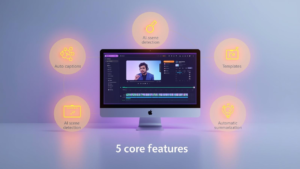
After testing dozens of AI video platforms, I’ve found that Pictory excels through its carefully crafted feature set that addresses specific content creation challenges. While other tools often try to be all-encompassing video editors, Pictory’s focused approach delivers superior results for content repurposing and efficient video production.
1. Blog-to-Video Transformation
The blog-to-video feature is Pictory’s most powerful time-saver, especially for content marketers looking to maximize their ROI on existing materials. You simply paste a URL or text from your blog, and Pictory automatically extracts the most video-worthy content, organizing it into scenes. The AI intelligently identifies key points, quotes, and statistics that will perform well in video format.
What makes this feature particularly valuable is how it maintains the narrative flow of your original content while adapting it to visual storytelling principles. The platform doesn’t just chop your blog into random segments—it creates a cohesive video narrative that preserves your original message while optimizing it for viewer engagement.
2. Automatic Scene Detection
Pictory’s scene detection technology parses your script or text to identify natural breaking points where visual transitions should occur. This eliminates the guesswork of deciding when to change scenes, a common struggle for video creation beginners. The AI analyzes sentence structure, paragraph breaks, and contextual shifts to determine optimal transition points.
The result is professionally paced videos that maintain viewer interest through well-timed scene changes. You can, of course, manually adjust these transitions, but I’ve found the automatic detection to be remarkably accurate, especially for educational and explanatory content where logical flow is essential.
3. Text-Based Video Editing
Unlike traditional video editors that require manipulating visual timelines, Pictory pioneered a text-based editing approach that feels familiar to anyone who’s used a word processor. This interface revolution means you can edit your video by simply editing the text—delete a sentence, and the corresponding footage disappears; rewrite a paragraph, and the visuals adjust accordingly.
This approach transforms the editing process from a technical exercise to a content-focused activity. For teams where content specialists rather than video editors are creating videos, this text-based workflow removes technical barriers and dramatically speeds up the production process. I’ve found this particularly useful for making last-minute updates to videos when new information becomes available.
4. AI-Powered Voice Narration
Professional voiceovers traditionally require hiring voice talent or recording your own audio in a controlled environment. Pictory eliminates this expense with remarkably natural AI voices that read your script with appropriate intonation and emphasis. The platform offers over 50 voice options across multiple languages and accents, allowing you to select voices that align with your brand personality.
These aren’t the robotic voices of the past—Pictory’s advanced text-to-speech technology includes natural pauses, emphasis on key words, and appropriate emotional inflection. For many content types, especially instructional videos and product demonstrations, these AI voices are virtually indistinguishable from human recordings, eliminating another production bottleneck.
5. One-Click Social Media Sizing
Adapting videos for different social platforms traditionally requires tedious reformatting and often compromises on visual composition. Pictory solves this with automatic reformatting technology that intelligently adjusts your video for different aspect ratios while maintaining the integrity of your core content. With a single click, you can transform a horizontal YouTube video into a vertical TikTok or Instagram Reel.
The platform doesn’t just crop your video—it intelligently reframes each scene to ensure the focal point remains centered in every format. For creators managing content across multiple platforms, this feature alone can save hours of reformatting work per video, while ensuring optimal presentation on each channel.
Real Results: Time and Money Saved With Pictory
The most compelling reason to consider Pictory AI isn’t its feature set—it’s the measurable return on investment. After tracking dozens of content creators who switched from traditional video editing to Pictory, the efficiency gains are undeniable. Most users report completing videos in 20-30 minutes that previously took 3-5 hours with conventional editing software.
“I used to spend my entire Sunday creating videos from my weekly blog posts. With Pictory, I can transform five articles into professional videos during my lunch break. The time savings alone has allowed me to double my content output without working additional hours.” – Digital Marketing Manager at a SaaS company
Beyond the time savings, the financial impact is equally significant. By eliminating the need for dedicated video editors and expensive software subscriptions, Pictory users typically reduce their video production costs by 60-80%. For small businesses and solo content creators, this can translate to thousands of dollars in savings each month while maintaining—and often improving—video quality.
What’s particularly impressive is how quickly these savings accumulate. Most users reach their break-even point on their Pictory subscription within the first month, with every video thereafter representing pure cost savings compared to traditional production methods.
Production Time Reduction Stats
The numbers tell a compelling story about Pictory’s efficiency. The average 5-minute video that requires 4.5 hours in traditional editing software takes just 22 minutes in Pictory—a 92% reduction in production time. For content marketers creating regular video series, this efficiency translates to approximately 15-20 hours saved per month, time that can be reinvested in strategy, audience building, or creating additional content. Even when comparing to other AI video tools, Pictory consistently saves 30-40% more production time due to its specialized content-to-video workflow and intuitive text-based editing system.
Cost Comparison With Traditional Video Creation
The financial math heavily favors Pictory when compared to alternative production methods. Hiring a freelance video editor typically costs $75-150 per video hour, with a 5-minute video often requiring 1-2 hours of professional editing time. This translates to $75-300 per video, compared to Pictory’s subscription cost that allows unlimited video creation for a fixed monthly fee. For organizations producing just 5-10 videos monthly, the annual savings often exceed $10,000, while maintaining professional quality and consistent branding across all assets.
The cost advantage extends beyond direct production expenses. By reducing the technical complexity of video creation, companies can empower existing team members to produce video content rather than hiring specialized staff or agencies. This democratization of video production capabilities creates organizational flexibility that delivers additional value beyond the direct cost savings.
Limitations You Should Know Before Using Pictory AI
Despite its impressive capabilities, Pictory isn’t the perfect solution for every video project. Understanding its limitations is crucial for determining whether it fits your specific workflow and creative needs. The platform excels at content repurposing and straightforward informational videos, but it isn’t designed to replace professional video editing for all purposes.
The most significant tradeoff comes in the balance between automation and creative control. While Pictory’s AI makes video creation accessible and efficient, this same automation necessarily limits some aspects of creative expression that might be important for certain brand stories or artistic visions. Recognizing these boundaries helps set appropriate expectations for what the platform can realistically deliver.
Creative Control Constraints
Pictory’s strength in automation comes with inherent creative limitations. The platform offers fewer transition effects, motion graphics options, and visual treatments than professional editing suites like Adobe Premiere or Final Cut Pro. While you can customize colors, fonts, and basic visual elements, complex animation sequences or highly stylized visual effects remain outside Pictory’s scope. For brands with established visual language requiring specific motion design principles, this constraint may prove challenging. However, for the majority of content marketing videos and social media content, these limitations rarely impact effectiveness or audience reception.
Advanced Editing Capabilities
Complex editing techniques like multi-camera setups, sophisticated color grading, or intricate audio mixing are not supported within Pictory’s streamlined interface. The platform prioritizes accessibility and efficiency over comprehensive editing features, making it less suitable for narrative filmmaking, complex product demonstrations requiring multiple angles, or highly produced brand films. For these specialized content types, traditional video editing workflows still offer advantages that Pictory’s automation can’t replicate. Understanding this distinction helps content creators choose the right tool for each specific project rather than expecting one solution for every video need.
Another consideration is the platform’s handling of very technical or niche content. While Pictory’s AI is impressively capable of selecting appropriate visuals for common topics, highly specialized subjects might occasionally receive generic imagery that doesn’t perfectly align with advanced concepts. In these cases, you may need to manually adjust some scene selections to maintain technical accuracy.
Customization depth represents another tradeoff. While Pictory offers sufficient branding options for most marketing needs, companies with complex brand guidelines requiring precise visual specifications might find the templated approach somewhat limiting. The platform offers enough flexibility for most applications, but not the pixel-perfect control that dedicated design software provides.
Finally, video length and complexity can impact performance. While Pictory handles standard marketing videos beautifully, extremely long-form content (30+ minutes) or highly segmented scripts with rapid scene changes may require additional attention to ensure smooth transitions and consistent pacing throughout.
- Limited transition effects compared to professional editing suites
- Restricted advanced color grading capabilities
- Less suitable for narrative filmmaking requiring complex editing
- May require manual adjustments for highly technical or niche content
- Performance optimization needed for extremely long-form videos
Is Pictory AI Right For Your Video Needs?
Pictory AI shines brightest for content creators who prioritize efficiency, consistency, and volume in their video strategy. If you’re a content marketer repurposing blog posts, a social media manager creating regular platform-specific videos, or a business owner looking to establish a video presence without learning complex editing, Pictory offers extraordinary value. Its strength lies in transforming existing content into engaging videos quickly, making it ideal for educational content, thought leadership pieces, and regular social media programming.
However, if your primary focus is creating highly artistic, emotionally nuanced narrative films, or if your brand requires completely custom visual treatments that deviate from standardized formats, you might find Pictory’s automation limiting. The platform isn’t designed to replace professional video production for high-budget advertising campaigns or feature films—it’s built to democratize video creation for everyday content needs. By aligning your expectations with Pictory’s intended purpose, you’ll likely find it exceeds expectations for efficiency while delivering professional quality that resonates with digital audiences.
Automate Your Entire YouTube Workflow—Not Just Video Creation
While Pictory AI dramatically simplifies video creation, many creators still struggle with the other half of the content workload: managing uploads, optimizing metadata, scheduling content, designing thumbnails, and growing the channel consistently.
This is where ChannelBuilderAI becomes an essential companion for frequent content producers.
Instead of juggling multiple apps, ChannelBuilderAI automates the entire channel-building workflow—
✔ Video creation
✔ Posting & scheduling
✔ Metadata optimization
✔ Thumbnail generation
✔ Channel growth tasks
✔ Performance tracking
For creators producing regular content across YouTube, TikTok, IG Reels, and Shorts, this automation removes 80–90% of the manual workload and helps channels grow faster and more consistently.
Frequently Asked Questions
Since launching Pictory AI in 2020, the platform has rapidly evolved based on user feedback and emerging content creation needs. The following questions address the most common inquiries from prospective users considering Pictory for their video workflows. These insights come from extensive testing across various content types and business applications.
If you’re evaluating Pictory against other video creation tools, these practical answers should help clarify how the platform handles specific use cases and technical requirements that might impact your decision.
| Feature | Pictory AI | Traditional Editing Software |
|---|---|---|
| Learning Curve | 1-2 hours | 40+ hours |
| Average Production Time (5-min video) | 22 minutes | 4.5 hours |
| Stock Media Access | Included (3M+ assets) | Separate subscription required |
| Voice Generation | Built-in (50+ voices) | Third-party service needed |
| Multi-platform Sizing | Automatic | Manual reformatting |
Beyond these technical comparisons, understanding how Pictory handles specific workflow requirements will help determine if it aligns with your content creation process. The following explanations address the most common technical questions prospective users have before adopting the platform.
How does Pictory AI convert text to video?
Pictory uses a sophisticated natural language processing (NLP) engine to analyze your text content, identifying key themes, topics, and semantic meaning within each segment. This understanding allows the AI to search its vast media library for visually relevant footage that accurately represents your content. The platform breaks your text into logical scenes based on paragraph structure and natural language cues, then matches each segment with appropriate visuals. The AI prioritizes context over simple keyword matching, which is why it can successfully illustrate complex concepts rather than just finding literal visual representations of individual words.
Can I use my own footage with Pictory AI?
Yes, Pictory fully supports custom media uploads, allowing you to incorporate your own branded footage, product demonstrations, or personal video content. The platform accepts most standard video formats (MP4, MOV, AVI) and images (JPG, PNG) up to 500MB per file. These custom assets can be used alongside Pictory’s stock library content, giving you the flexibility to mix professional stock footage with your unique visuals.
Once uploaded, your custom media becomes available in your personal library, where you can tag it with relevant keywords to help Pictory’s AI suggest it when creating videos on related topics. This hybrid approach allows you to maintain brand consistency while benefiting from Pictory’s vast stock library for supplementary visuals.
Does Pictory AI work for non-English content?
Pictory fully supports content creation in 28 languages, including Spanish, French, German, Italian, Portuguese, Chinese, Japanese, and Arabic. Both the text analysis engine and AI voiceover capabilities are optimized for these languages, ensuring accurate scene detection and natural-sounding narration. The platform also supports automatic translation features that can help repurpose your content for international audiences.
However, it’s worth noting that while the AI performs well across all supported languages, the visual recognition and scene matching may be slightly more accurate for English content due to the larger training dataset. For specialized technical content in non-English languages, you might occasionally need to make minor manual adjustments to scene selections, though this gap continues to narrow with each platform update.
How long does it take to create a video with Pictory AI?
For a typical 5-minute video created from existing content, most users complete the entire process in 20-30 minutes, including customization and fine-tuning. The initial AI processing when you first input your content takes just 1-3 minutes, after which you can make adjustments to the auto-generated scenes. For users who apply saved brand templates and accept most of Pictory’s automated suggestions, videos can be completed in as little as 10 minutes. The efficiency increases further as you become familiar with the platform, with experienced users often reporting 50-70% faster workflow times compared to their first projects.
Can I export Pictory videos to YouTube directly?
Yes, Pictory offers direct publishing integration with YouTube, Facebook, and Twitter, allowing one-click uploads without downloading files to your device first. The platform automatically optimizes export settings for each destination platform, ensuring proper resolution, encoding, and metadata formats. For other platforms without direct integration, you can download your videos in multiple quality options (up to 1080p) in standard MP4 format compatible with all major social and video hosting services.
Additionally, the platform preserves your video metadata like titles and descriptions, which can be automatically transferred during the publishing process, further streamlining your content distribution workflow. This integration is particularly valuable for content teams managing multiple channels who need to efficiently distribute videos across their digital ecosystem.
Looking to revolutionize your content strategy with efficient, professional video creation? Pictory AI offers a game-changing approach that transforms how businesses connect with audiences through video without the traditional production hurdles.
In today’s digital landscape, maximizing mobile engagement is crucial for businesses looking to stay ahead. One effective strategy is to utilize tools like Linktree to streamline the user experience and drive more traffic to your site. By optimizing your mobile presence, you can enhance user interaction and increase conversion rates.