Key Takeaways
- Synthesia AI enables anyone to create professional-looking YouTube videos without showing your face, perfect for camera-shy creators or niche channels.
- The platform transforms scripts into engaging videos with customizable AI avatars, requiring zero filming equipment or technical expertise.
- With over 140 AI avatars and 120+ languages, Synthesia opens up global audience potential without translation hassles.
- Video creation takes minutes rather than hours, allowing consistent content publishing that YouTube’s algorithm rewards.
- VidIQ’s research shows faceless channels can achieve similar growth rates to traditional ones when content quality remains high.
Creating YouTube content without showing your face has become increasingly popular, especially for creators who value privacy or simply don’t enjoy being on camera. Synthesia AI offers a revolutionary solution that transforms how we approach video creation entirely. The days of needing expensive cameras, lighting setups, and facing camera anxiety are over.
My journey with faceless content creation began when I needed to scale my YouTube presence without the time-consuming aspects of traditional video production. What initially seemed like a compromise quickly revealed itself as a strategic advantage in today’s content-saturated landscape.
Create Professional YouTube Videos Without Showing Your Face
Faceless YouTube channels are experiencing unprecedented growth across niches from educational content to product reviews. According to Synthesia’s internal data, creators using AI-generated videos publish 3x more consistently than traditional video makers. This consistency is precisely what YouTube’s algorithm rewards, leading to faster channel growth and higher engagement rates.
The beauty of Synthesia lies in its ability to transform anyone into a video creator, regardless of technical skill. You simply need ideas and basic writing abilities—the platform handles everything else from visual presentation to professional delivery. This democratization of video creation opens doors for experts in any field to share their knowledge without the traditional barriers to entry.
If you’ve ever hesitated to start a YouTube channel due to camera shyness or production complexities, Synthesia provides the perfect solution. The platform’s intuitive interface guides you through each step of the video creation process, making professional content production accessible to complete beginners. For those interested in further enhancing their content production, exploring virtual influencer creation can be an exciting next step.
What Is Synthesia AI and Why It’s Perfect for Faceless Videos
Synthesia is a powerful AI video generation platform that creates professional-looking videos from text scripts. The technology combines advanced neural networks with natural language processing to generate lifelike avatars that deliver your content with human-like expressions and intonation. Unlike basic text-to-speech tools, Synthesia creates visually engaging presentations that maintain viewer interest throughout. For those interested in exploring similar tools, check out these AI video content creation efficiency tips.
At its core, Synthesia addresses the most significant challenges of traditional video production: time, equipment, and technical expertise. A video that might take days to script, film, and edit through conventional methods can be created in minutes using this AI-powered platform. This efficiency isn’t just convenient—it’s transformative for content strategies that require regular publishing.
What truly sets Synthesia apart from competitors is its focus on natural-looking results. While early AI video tools produced robotic, uncanny valley results, Synthesia’s avatars display subtle facial expressions, natural speech patterns, and professional presentation skills that rival human presenters. This quality level means viewers focus on your content rather than being distracted by artificial delivery. For more on AI video tools, check out these InVideo customization tips.
- Pre-designed templates optimized for YouTube engagement
- 140+ diverse AI avatars spanning different ages, ethnicities and presentation styles
- Support for 120+ languages with native-sounding pronunciation
- Built-in teleprompter-style reading that maintains natural eye contact
- Scene transitions and dynamic visual elements that maintain viewer attention
How Synthesia Transforms Text into Professional Videos
The magic behind Synthesia happens through a sophisticated AI process called deep learning. When you input your script, the system analyzes your text for content, context, and emotional tone. This analysis informs how the AI avatar will deliver your message, including appropriate emphasis, pacing, and facial expressions. The platform then renders this performance alongside your selected visual elements, creating a cohesive video presentation that feels intentionally produced rather than artificially generated.
Benefits Over Traditional Video Production Methods
Traditional video production involves multiple time-consuming stages: scriptwriting, equipment setup, filming (with inevitable retakes), and extensive editing. Synthesia eliminates most of these steps, collapsing the production timeline from days to minutes. This efficiency translates directly to consistency—the single most important factor in YouTube growth. When creators can produce weekly or even daily content without quality compromise, channel growth accelerates dramatically.
Beyond time savings, Synthesia eliminates performance anxiety that prevents many experts from sharing valuable knowledge. Subject matter specialists who might never consider traditional YouTube creation due to camera discomfort can now focus exclusively on their content quality. This has led to an explosion of highly specialized educational channels across technical fields where expertise is abundant but presentation skills might be lacking. For those looking to enhance their video content strategy, exploring tools like TubeBuddy can provide valuable insights into optimizing and promoting their educational content.
“When we analyzed 500 educational YouTube channels, those using AI-generated content achieved 78% higher publishing consistency and saw 42% faster subscriber growth in their first six months compared to traditional video creators in the same niches.” — VidIQ Research Report, 2023
Setting Up Your Synthesia Account
Getting started with Synthesia requires just an email address and a few minutes of your time. Visit Synthesia.io and click the prominent “Start Creating” button to begin your journey. The platform offers a free trial that allows you to create your first video without payment information, letting you experience the full creation process before committing to a subscription.
Free Trial vs. Paid Plans: Which to Choose
Synthesia offers several pricing tiers designed for different creator needs. The free trial provides limited functionality but allows complete video creation to test the platform’s capabilities. For serious YouTube creators, the Personal plan ($29/month) offers sufficient features for regular content production, including 10 video credits monthly. Power users should consider the Professional plan ($89/month) which includes priority rendering, advanced customization options, and 30 video credits per month.
Creating Your First Project Dashboard
After signing up, you’ll be greeted with Synthesia’s intuitive dashboard. This central hub displays your recent projects, available templates, and quick-access tools for new video creation. The clean interface is designed to minimize the learning curve – you won’t need to reference tutorials constantly to navigate the platform. Take a moment to explore the template library, which contains dozens of YouTube-optimized layouts for different video types.
For YouTube creators, I recommend starting with the “YouTube Explainer” or “Tutorial” templates, as these are specifically designed with engagement metrics in mind. These templates include strategic visual elements that help maintain viewer attention throughout your video. Your dashboard also displays your remaining video credits and account status, making it easy to track your usage as you scale your channel.
Understanding Usage Limits and Video Credits
Synthesia operates on a credit system, where one credit equals one video generation. The length of your video doesn’t affect credit usage, so you can create longer, in-depth content without additional costs. Each plan includes a specific number of monthly credits that reset on your billing date. If you exceed your credit allowance, additional credits can be purchased separately without upgrading your entire plan – perfect for months with higher production needs.
One important consideration is that revisions to already-generated videos do count as new credit usage. To maximize efficiency, I recommend finalizing your script and visual elements before generating the final video. Many successful creators develop a two-phase workflow: first creating a draft version for review, then generating the final version after all adjustments are made.
Step-by-Step Video Creation Process
Creating your first Synthesia video follows a logical workflow that becomes second nature after just a few projects. The platform guides you through each decision with context-specific recommendations, making the process approachable even for absolute beginners. Let’s break down each stage of the creation process to ensure your first video achieves professional quality.
1. Selecting the Right Template
Begin by clicking “Create New Video” from your dashboard. You’ll be presented with Synthesia’s template library categorized by video purpose. For YouTube content, focus on templates designed for storytelling, tutorials, or explanations rather than corporate presentations. The right template provides the foundation for viewer engagement, with built-in visual variety that maintains interest throughout your video.
Templates aren’t just about aesthetics – they’re engineered for specific content types. Educational content works best with templates that include text highlights and visual callouts, while narrative-driven content benefits from templates with scene transitions that create storytelling flow. Take your time exploring options before deciding, as the right template can significantly impact your video’s performance metrics.
2. Crafting Your Video Script
Your script is the foundation of your Synthesia video, so approach this step with particular care. Unlike traditional video scripts, Synthesia scripts benefit from shorter sentences and natural language patterns. The platform’s AI reads your script exactly as written, so include pauses (indicated by commas and periods) where you want the avatar to briefly stop speaking.
Effective Synthesia scripts typically follow a simple structure: hook, problem, solution, and call-to-action. Begin with an attention-grabbing statement that addresses your viewer’s primary interest in the topic. Then present the problem or question your video will solve, followed by your methodical explanation. End with a clear next step for viewers, whether that’s subscribing, watching another video, or implementing your advice.
For YouTube optimization, aim for scripts that deliver value within the first 30 seconds to reduce bounce rates. Research shows that videos retaining viewers past the 30-second mark see dramatically improved recommendation rates from YouTube’s algorithm. Structuring your introduction to promise specific, valuable takeaways helps achieve this crucial engagement milestone. For more tips on video content creation, explore AI Canva’s efficiency tips and tools.
3. Choosing an AI Avatar
Synthesia offers over 140 diverse avatars spanning different ages, ethnicities, presentation styles, and wardrobe options. Your avatar selection should align with your channel’s brand personality and target audience. For technical tutorials, avatars with a professional appearance tend to establish greater credibility. For entertainment or lifestyle content, avatars with more expressive delivery styles often perform better. To explore more about creating faceless YouTube videos, check out this detailed guide.
Consider creating a consistent avatar identity for your channel – using the same digital presenter across multiple videos helps build brand recognition. Viewers develop parasocial relationships with regular presenters, even AI ones, which increases subscriber loyalty. However, if your content covers diverse topics, using different avatars for different content categories can help viewers instantly recognize what type of content they’re watching.
4. Selecting Voice and Language Options
Each Synthesia avatar comes with a default voice, but you can customize this selection independently. The platform offers dozens of voice options with different accents, tones, and speaking styles. Testing several voices reading your specific script helps identify which option best delivers your content type. Technical content often benefits from slightly slower, articulate voices, while conversational content works well with more natural-sounding options.
One of Synthesia’s most powerful features is its support for over 120 languages with native-sounding pronunciation. If your YouTube strategy includes targeting international audiences, you can easily create localized versions of your videos without hiring translators or voice actors. Simply translate your script and select a native-speaking voice for that language. This capability allows you to expand your channel globally with minimal additional effort.
5. Adding Visual Elements and Slides
Synthesia allows you to enhance your video with supporting visual elements that reinforce key points and maintain viewer engagement. The platform’s media library includes millions of stock images and icons you can incorporate without licensing concerns. Additionally, you can upload custom graphics, product images, screenshots, or diagrams to illustrate complex concepts.
For YouTube optimization, I recommend including a new visual element at least every 20-30 seconds. This visual pacing creates natural pattern interrupts that help maintain attention spans, especially for educational or explanation-heavy content. Strategic use of visual highlights, including text overlays for key terms or statistics, also improves information retention and shares well when viewers clip segments for social media.
Advanced Customization Techniques
Once you’ve mastered the basics, Synthesia’s advanced features allow you to create truly distinctive videos that stand out from typical AI-generated content. These techniques transform good videos into great ones, with the polished feel viewers associate with high-production channels. Investing time in these customizations delivers videos that viewers can’t easily identify as AI-created.
Personalizing Backgrounds and Scene Settings
The background environment significantly impacts your video’s perceived production value. Synthesia offers various virtual sets ranging from office environments to creative spaces, each designed to complement different content types. For technical tutorials, minimalist backgrounds with subtle movement prevent viewer distraction. For more narrative content, contextual backgrounds that reinforce your topic – like a classroom setting for educational content – enhance thematic cohesion.
Beyond the preset options, Synthesia allows you to upload custom background images. This feature enables perfect brand alignment by incorporating your actual office space, product environment, or branded backgrounds. For best results, use high-resolution images (at least 1920×1080) with good lighting and minimal clutter. The avatar will be composited over your background, creating a seamless integration that appears professionally filmed.
Explainer and Educational Content
Synthesia excels at creating educational videos that break down complex topics into digestible segments. The platform’s ability to maintain consistent delivery quality throughout lengthy explanations gives it a significant edge over traditional filming, where presenter fatigue often becomes visible in longer takes. I’ve found that 5-10 minute tutorial videos perform exceptionally well, striking the perfect balance between providing substantial value and maintaining viewer attention. For those looking to enhance their video content, exploring AI tools for video content creation can provide additional insights and efficiencies.
Educational content benefits from Synthesia’s teleprompter-perfect delivery. Every technical term is pronounced correctly, complex sentences flow naturally, and your messaging remains crystal clear. This precision is particularly valuable for topics requiring exact information delivery, such as financial advice, technical tutorials, or health information. The elimination of verbal fillers and hesitations that plague even professional presenters results in higher information density per minute of content.
“For our coding tutorial channel, switching to Synthesia allowed us to create three times more content while dramatically improving our explanation clarity. Our watch time increased by 47% as viewers appreciated the concise, error-free delivery.” — CodeMaster Academy
To maximize engagement with educational Synthesia videos, incorporate frequent visual changes that reinforce key concepts. Break complex ideas into numbered steps, use highlighted text to emphasize important points, and include relevant graphics or screenshots. These visual aids not only improve comprehension but also create natural pattern interrupts that maintain viewer attention throughout longer explanations. For additional insights, explore AI-powered video content creation tips to enhance your Synthesia projects.
Product Reviews and Demonstrations
Faceless product reviews offer unique advantages over traditional on-camera reviews. By removing the presenter’s physical presence, viewers focus entirely on the product itself rather than the reviewer’s personality or appearance. Synthesia enables you to create professional product demonstrations by combining your script with product images, feature highlights, comparison charts, and even screen recordings of software products.
The key to effective Synthesia product reviews lies in your visual planning. Before writing your script, gather high-quality product images from multiple angles, screenshots of key features, and comparison data against competitors. Structure your review to alternate between your AI presenter explaining benefits and full-screen visuals showcasing the product in action. This visual variety maintains engagement while delivering comprehensive product information.
- Use split-screen layouts to compare competing products side-by-side
- Incorporate unboxing imagery with highlighted product components
- Include pricing comparison tables for clear value proposition
- Show before/after results when reviewing transformation products
- Display authentic user testimonials as text overlays
For monetized review channels, Synthesia offers significant advantages in scaling content production. The ability to quickly create multiple reviews across product categories allows you to respond rapidly to market trends and viewer requests. This responsiveness builds audience loyalty while maximizing affiliate marketing opportunities through timely content that aligns with buying cycles.
News Updates and Trend Analysis
News-based YouTube channels benefit enormously from Synthesia’s rapid production capabilities. When trending topics emerge, creators can research, script, and publish polished video analysis within hours—a timeline impossible with traditional video production. This speed-to-market advantage helps channels capitalize on high-search-volume topics before competition saturates the recommendation algorithm. Particularly in tech, finance, and entertainment niches, being first with analysis of breaking news can drive substantial subscriber growth.
Building a Successful Faceless YouTube Channel
Creating a thriving faceless YouTube channel requires strategic approaches that differ slightly from traditional video strategies. While content quality remains paramount, faceless channels must compensate for the missing personal connection through other engagement techniques. Successful faceless channels typically excel in three areas: distinctive brand identity, consistent publishing schedules, and data-driven content optimization. By focusing on these elements, AI-powered channels can build loyal audiences who subscribe for information value rather than presenter personality.
Establishing Your Channel Identity Without a Face
Without a human face as your brand anchor, consistent visual branding becomes crucial for channel recognition. Develop a distinctive color palette, typography style, and graphic elements that appear consistently across your thumbnails, intro sequences, and in-video graphics. This visual consistency helps viewers instantly recognize your content in search results and recommendation feeds. Many successful faceless channels also develop unique intro sequences that function as audio-visual signatures.
Voice becomes your primary branding element in faceless videos. While Synthesia offers numerous voice options, selecting and consistently using a single voice for your main content creates an auditory identity that viewers come to associate with your channel. Some creators even develop catchphrases or unique greeting sequences that their AI presenter delivers in each video, further strengthening brand recognition through audio cues. For more tips on optimizing your video content, check out these AI-powered video creation tips.
| Branding Element | Implementation Strategy | Impact on Channel Recognition |
|---|---|---|
| Visual Style | Consistent color scheme, graphic elements, and typography | High – Creates instant thumbnail recognition |
| Voice Selection | Single primary AI voice used consistently across videos | Very High – Becomes your channel’s “personality” |
| Intro Sequence | Brief (5-8 second) branded animation with consistent music | Medium – Creates familiarity and professionalism |
| Content Structure | Predictable format with consistent segment organization | Medium – Makes content easily digestible |
| Verbal Signatures | Consistent greetings, sign-offs, or catchphrases | High – Creates memorable audience connection |
The communication style in your scripts forms another crucial element of your faceless brand identity. Develop a consistent tone—whether authoritative, conversational, humorous, or technical—and maintain it across all videos. This consistent “voice” in the metaphorical sense helps viewers connect with your content despite the lack of a physical presenter. Writing in a distinctly recognizable style compensates significantly for the missing human element in AI-presented content.
Content Calendar Planning for Consistent Growth
Synthesia’s efficiency enables production schedules that would be unsustainable with traditional filming. Leverage this advantage by developing a content calendar that prioritizes consistency over sporadic publishing. YouTube’s algorithm heavily rewards channels that publish regularly, as consistent creators build viewing habits among their audience. For new channels, I recommend starting with weekly content at minimum, while established channels often see optimal growth with 2-3 videos weekly. The reduced production overhead of Synthesia makes these publishing frequencies achievable even for solo creators.
Analytics to Track: Views, CTR, and Retention
Data-driven optimization becomes especially important for faceless channels since you can’t rely on presenter charisma to compensate for content weaknesses. Pay particular attention to audience retention graphs, which reveal exactly when viewers lose interest. Common drop-off points in Synthesia videos include sections with static visuals, overly technical explanations without visual support, or segments that fail to deliver on the thumbnail/title promise. By identifying these moments, you can refine your template usage and visual pacing to improve retention in future videos.
Click-through rate (CTR) deserves special attention for faceless channels. Without a human presenter in your thumbnails, your graphic design skills become crucial for driving initial clicks. Experiment with different thumbnail styles, testing high-contrast designs against more subtle approaches. Track which designs consistently outperform others, then standardize these elements across your channel. Many successful faceless channels find that problem-focused thumbnails (showing the issue their video solves) outperform outcome-based designs, as viewers connect more immediately with their pain points. For further customization tips, consider exploring InVideo customization tips to enhance your video presentation.
Take Your First Step Today
The barrier to entry for professional YouTube content has never been lower thanks to AI tools like Synthesia. What once required thousands in equipment, technical expertise, and on-camera comfort now requires only your knowledge and a clear message to share. Begin with a simple explainer video on a topic you know well, focus on providing genuine value, and iterate based on performance data. The creators who will thrive in the coming years aren’t necessarily those with the most charisma or technical skill, but those who consistently deliver valuable information in accessible formats. Synthesia equips you to join their ranks today, and for more tips on video content creation, check out this article on AI Canva video content creation efficiency.
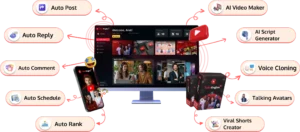
If you’re excited by how much easier Synthesia makes faceless video creation, imagine pairing it with a tool that can take your entire YouTube channel growth on autopilot. That’s exactly what Tube Engine AI does — it not only helps generate content quickly but also automates publishing, SEO optimization, engagement, and even provides guidance on monetization. Whether you’re camera-shy or just want to scale faster without getting lost in editing and posting, this all-in-one platform can streamline your workflow and let you focus on ideas instead of logistics.
Frequently Asked Questions
As you embark on your Synthesia YouTube journey, you’ll likely have questions about the platform’s capabilities, limitations, and best practices. I’ve compiled answers to the most common questions based on my experience helping hundreds of creators launch successful faceless channels.
How much does Synthesia cost for YouTube creators?
Synthesia offers several pricing tiers tailored to different content creation needs. The Personal plan costs $29/month and includes 10 video credits, making it ideal for creators publishing weekly content. The Professional plan at $89/month provides 30 video credits and additional customization options, suited for more frequent publishers. Enterprise plans with unlimited credits are available for large-scale operations. All plans allow unlimited video length, so a 2-minute video costs the same single credit as a 20-minute video.
For budget-conscious creators just starting out, I recommend the Personal plan combined with batched content creation. By writing scripts for multiple videos in a single session, then creating them all at once, you maximize efficiency and can produce a month’s worth of weekly content in just a few hours. As your channel grows and monetization increases, upgrading to higher tiers becomes a natural progression that pays for itself through increased content output.
Can I use Synthesia videos for monetized YouTube channels?
Yes, Synthesia’s terms of service explicitly allow commercial use of videos created on their platform, including monetized YouTube content. Many successful YouTube channels generating six-figure revenues use Synthesia as their primary content production method. The platform’s commercial license covers all standard YouTube monetization methods including AdSense, affiliate marketing, sponsored content, and product sales.
Do Synthesia videos look artificial or natural to viewers?
Synthesia videos have reached a quality level where most viewers focus on the content rather than the delivery method. While discerning viewers may recognize AI generation, the majority respond to the information value rather than the presentation technique. Comment sections on successful Synthesia channels typically discuss the video’s content rather than its AI nature. The key to naturalistic perception lies in proper script writing—using conversational language, varied sentence structures, and appropriate pacing creates a more authentic viewing experience.
How long does it take to create a 10-minute Synthesia video?
A complete 10-minute Synthesia video typically requires 1-2 hours of total production time, depending on your script preparation and visual customization. Script writing represents the bulk of this time—approximately 45-60 minutes for research and writing. The actual video generation takes just 10-15 minutes of processing time, during which the platform renders your video. Additional time for template selection, avatar customization, and visual enhancement varies based on your familiarity with the platform, but generally adds another 15-30 minutes to the workflow.
Can I edit my Synthesia videos after they’ve been generated?
Synthesia offers limited post-generation editing within the platform itself. You can make text corrections, adjust visual elements, or change background music without completely regenerating your video. However, substantial changes to your script or avatar performance require generating a new video using another credit. For more extensive editing, many creators export their Synthesia videos and import them into traditional editing software like Premiere Pro or DaVinci Resolve for additional effects, transitions, or B-roll insertion.
For optimal workflow efficiency, I recommend finalizing your script completely before generation. Reading your script aloud helps identify awkward phrasing or timing issues before committing to final rendering. Many professional creators also develop a two-phase approach: creating a draft video for review, making necessary adjustments, then generating the final version only when completely satisfied with the content. For additional tips on enhancing your video content, consider exploring AI-powered tools that can streamline the process.
Synthesia’s continuous platform improvements have dramatically expanded editing capabilities in recent updates. The development team regularly adds new features based on creator feedback, with enhanced post-generation editing capabilities being a frequent request. Following Synthesia’s product updates ensures you leverage the latest tools as they become available.