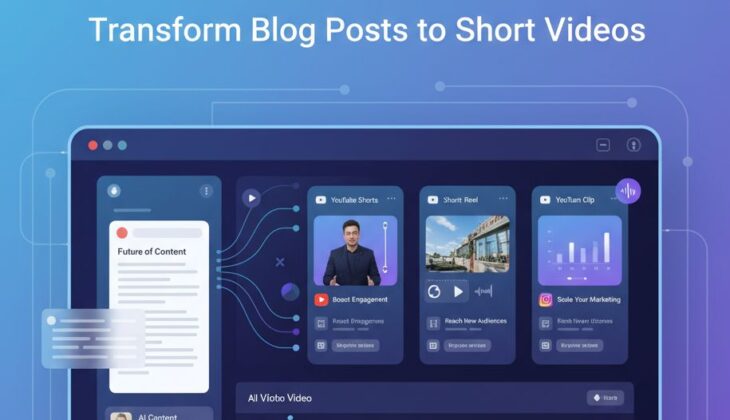
Key Takeaways
- Transform your blog content into engaging videos in minutes with InVideo’s AI-powered converter, boosting your content’s reach by up to 72% across multiple platforms.
- No technical skills required – InVideo analyzes your blog’s content and automatically generates a video script, visuals, and voiceover in over 50 languages.
- Repurpose existing blog content into video format to reach audiences who prefer visual content consumption over reading.
- Create platform-specific videos for YouTube, Instagram, and TikTok with just one blog post, maximizing your content marketing strategy.
- Fine-tune your videos with InVideo’s Magic Edit Box without needing any video editing experience.
The digital content landscape has dramatically shifted, with video now dominating audience attention across all platforms. If your valuable blog content isn’t being transformed into video format, you’re missing out on significant engagement opportunities and leaving potential audience connections on the table.
In this comprehensive guide, you’ll discover how to effortlessly convert your existing blog posts into captivating videos that can multiply your content’s reach and impact. With InVideo’s revolutionary blog-to-video converter, the barrier between written and visual content disappears, allowing you to engage viewers who might never discover your written words.
Video Content Is King: Why Your Blog Posts Need a Visual Upgrade
Content consumption habits have evolved dramatically. While your blog posts contain valuable information, the harsh reality is that a significant portion of your potential audience simply doesn’t read long-form content. The attention economy rewards visual storytelling, with video content consistently outperforming text in engagement metrics across all major platforms.
The 72% Engagement Boost: How Videos Outperform Text-Only Content
Recent marketing studies reveal that content featuring video elements generates up to 72% higher engagement rates compared to text-only formats. This dramatic difference isn’t just about preferences – it reflects fundamental changes in how information is processed online. Videos capture attention faster, communicate ideas more efficiently, and create stronger emotional connections with viewers. By transforming your blog posts into videos, you’re essentially unlocking this engagement potential that remains dormant in your written content.
Reaching the “I Don’t Read” Audience
A growing segment of internet users actively avoids reading lengthy content, regardless of quality. This “I don’t read” audience represents a massive untapped market for content creators still focused exclusively on written formats. By converting your blog posts into videos, you bridge this gap, making your valuable insights accessible to those who would otherwise scroll past your written work. Think of video conversion not as replacing your blog strategy, but as extending its reach to audiences who process information differently.
Why Search Engines Favor Multi-Format Content
Search algorithms have evolved to prioritize content that offers multiple consumption formats, recognizing that user preferences vary widely. When you transform blog posts into videos, you’re not just reaching new audiences directly – you’re also signaling to search engines that your content provides options for different learning styles. This multi-format approach can significantly boost your content’s visibility in search results, creating a virtuous cycle of increased discoverability and engagement.
The statistics are clear: websites that feature both text and video versions of the same content typically see 157% more organic traffic than single-format sites. This dramatic difference reflects both algorithm preferences and the reality that different audience segments discover content through different pathways.
Meet InVideo: The One-Click Blog-to-Video Converter
Transforming written content into compelling videos traditionally required significant technical skills, expensive software, and hours of production time. InVideo has revolutionized this process with an AI-powered platform specifically designed to convert blog posts into professional-quality videos with minimal effort. This innovative tool bridges the gap between written and visual content, allowing you to reach new audiences without doubling your workload.
Simply paste your blog URL, and watch as InVideo analyzes your content and generates a complete video draft ready for customization. The days of manual script writing, sourcing visuals, and complex video editing are over – InVideo handles these technical aspects automatically, letting you focus on strategic content decisions.
How InVideo’s AI Understands Your Blog’s Structure and Message
- Intelligent content analysis identifies key points, statistics, and narrative structure
- Natural language processing preserves your unique voice and communication style
- Automatic scene selection matches visuals to your specific topic and messaging
- Smart summarization capabilities condense longer posts while preserving core value
- Semantic understanding ensures visual elements align with textual meaning
How InVideo’s AI Understands Your Blog’s Structure and Message
The magic behind InVideo’s blog-to-video conversion lies in its advanced AI that doesn’t just read your content—it comprehends it. The system breaks down your blog post into meaningful segments, identifying key points, supporting evidence, and narrative flow. This deep structural analysis ensures your video maintains the logical progression that made your written content valuable in the first place. For more on how to transform blog posts to short videos, explore this resource.
Unlike basic text-to-video tools that simply overlay text on random images, InVideo’s semantic understanding matches visuals precisely to your content’s meaning. When you mention industry statistics, the system automatically selects relevant charts or data visualizations. Describe a process, and the AI sequences appropriate instructional imagery. This contextual awareness creates videos that feel purposefully designed rather than randomly assembled.
No Technical Skills Required: The User-Friendly Interface
The platform was specifically designed with content creators in mind—not video production professionals. The intuitive dashboard guides you through each step of the conversion process without overwhelming you with technical jargon or complex editing tools. This accessibility means writers can focus on what they do best—communicating ideas—while the system handles the technical aspects of video production.
Everything from timeline editing to transition effects has been simplified into straightforward options that require no previous video editing experience. This democratization of video creation means that anyone who can write a blog post can now transform it into professional-quality video content without investing months in learning new technical skills. For those looking to convert text into engaging visuals, Pictory AI offers an efficient solution.
5 Steps to Transform Any Blog Post into a Captivating Video
1. Import Your Blog URL or Text
Begin by simply pasting your blog post URL into InVideo’s converter. The system automatically extracts and analyzes your content, including headings, paragraphs, lists, and even embedded media. For content that isn’t publicly accessible, you can directly paste text from any source into the editor. This flexibility allows you to transform everything from published articles to upcoming content drafts into video format.
The importer intelligently preserves your content structure, recognizing the hierarchy between headings, subheadings, and body text. This structural awareness ensures your video maintains the same logical flow that makes your written content effective, creating a seamless transition between formats that retains your original communication intent.
2. Let AI Generate Your Video Script
Once your content is imported, InVideo’s AI condenses your blog post into an optimized video script. This isn’t a simple copy-paste operation—the system intelligently restructures your content for verbal delivery, adjusting sentence structure and pacing for spoken rather than written consumption. The AI analyzes your original tone and writing style, ensuring the generated script maintains your unique voice while optimizing for video engagement.
What makes this process particularly valuable is how it preserves your key messages while adapting the format. Complex paragraphs become concise statements, statistical information transforms into visually supported points, and your overall message gains clarity through this specialized adaptation. The result is a script specifically engineered for video effectiveness while remaining true to your original content’s value and purpose. For more on transforming blog posts, check out how to transform blog posts to short videos.
3. Choose Visual Style and Templates
InVideo offers an extensive library of video templates categorized by industry, purpose, and platform. Whether you’re creating educational content, product demonstrations, or thought leadership pieces, you’ll find templates specifically designed to enhance your particular content type. These templates aren’t just about aesthetics—they’re strategically designed to optimize engagement for different content categories.
The platform’s intelligent matching system will recommend templates that align with your specific blog topic, saving you time scrolling through irrelevant options. Each template includes professionally designed scene transitions, text animations, and visual effects that would normally require hours of manual video editing to create. This template-based approach ensures your videos maintain professional quality regardless of your design experience.
4. Add Voice and Music
InVideo’s advanced text-to-speech technology transforms your script into natural-sounding narration that avoids the robotic quality common in automated voiceovers. Choose from over 30 realistic voice options spanning different accents, ages, and tones to find the perfect match for your brand identity. For content creators who prefer using their own voice, the platform makes it simple to upload custom audio recordings that automatically sync with your video elements.
Background music plays a crucial role in setting the emotional tone of your video. The platform provides an extensive royalty-free music library categorized by mood, tempo, and genre. The intelligent music selector analyzes your content’s emotional tone and suggests appropriate tracks that enhance rather than distract from your message.
Sound mixing happens automatically with smart balancing between narration volume and background music, ensuring your spoken content remains clear while maintaining the emotional impact of the soundtrack. This attention to audio quality dramatically increases viewer retention compared to videos with poor sound engineering.
5. Preview and Publish
Before finalizing your video, InVideo provides comprehensive preview capabilities that let you experience your content exactly as viewers will. The platform automatically identifies potential improvement areas—from pacing issues to visual inconsistencies—and suggests specific enhancements to maximize engagement. This quality control step ensures your videos maintain professional standards without requiring manual review of every technical detail.
Customize Your Video Without the Learning Curve
While the automatic conversion process delivers impressive results, InVideo understands that content creators often want to add personal touches to their videos. The platform’s editing interface strikes the perfect balance between powerful customization and user-friendly simplicity. You can adjust virtually any element—from text placement to visual timing—without navigating complex editing software.
Unlike traditional video editing tools that require weeks of training, InVideo’s customization options use intuitive controls accessible to anyone comfortable with basic word processing. This approach democratizes video creation, allowing content specialists to maintain creative control without becoming technical experts. The result is truly personalized videos that reflect your unique vision while benefiting from professional-grade production values. For more insights, check out this Pictory AI text-to-video review.
Magic Edit Box: Fine-Tune Scripts Without Video Editing Knowledge
The Magic Edit Box represents InVideo’s most revolutionary feature for content creators transitioning from text to video. This unique tool provides text-based video editing, allowing you to modify your video by simply editing words in a document-like interface. Change a sentence in the Edit Box, and the system automatically adjusts the corresponding visuals, timing, and narration—no timeline manipulation or keyframe editing required. Discover how to transform blog posts to short videos effortlessly with InVideo.
This approach is particularly valuable for writers who think in words rather than visual sequences. You can focus on perfecting your message while the system handles the technical aspects of translating those changes into video elements. The Magic Edit Box essentially creates a bridge between written and visual content creation, allowing you to apply your existing writing skills directly to video production. For more on enhancing visual content, explore the AI Video Thumbnail Maker for key takeaways.
50+ Languages for Global Audience Reach
InVideo’s language capabilities extend far beyond English, with support for over 50 languages in both script generation and voiceover production. This multilingual functionality allows you to transform a single blog post into videos tailored for different regional markets without creating entirely new content. The AI-powered translation maintains not just linguistic accuracy but cultural nuance, ensuring your message resonates across diverse global audiences.
For content creators with international ambitions, this feature eliminates the traditional barriers of global expansion. Each language version maintains the same professional quality as your original content while adapting to regional preferences in pacing, tone, and presentation style. This scalable approach to global content creation provides exponential reach from your original blog investment.
Platform-Specific Formatting for YouTube, Instagram, and TikTok
Different video platforms have dramatically different requirements for optimal performance. InVideo automatically reformats your content to match the specific dimensions, duration expectations, and viewer behaviors of each major platform. When converting for YouTube, the system optimizes for longer engagement with detailed information and strategic timestamps. For Instagram, it emphasizes visual impact and concise messaging, while TikTok conversions focus on hook-driven openings and vertical orientation.
This platform-specific optimization extends beyond basic dimensions to include engagement tactics proven effective for each environment. YouTube conversions incorporate strategic end screens and card placement, Instagram videos feature text positioning that avoids being covered by interface elements, and TikTok adaptations emphasize rapid pacing that matches the platform’s algorithmic preferences.
Want to Create Social-Style Videos Without Filming?
While tools like InVideo are powerful for transforming blog posts into structured video content, there’s another emerging format dominating feeds right now: AI-generated influencer-style videos.
Smart Ways to Repurpose Your Blog Content Library
The most effective content creators view their blog archives not as static resources but as versatile assets that can be transformed into multiple formats. Every blog post represents an opportunity for multiple video creations, each targeting different audience segments or consumption contexts. This strategic repurposing maximizes your return on content investment while continually refreshing your presence across platforms.
Turn Long-Form Guides into Bite-Sized Video Series
Comprehensive blog guides that cover complex topics often contain too much information for single videos. InVideo’s intelligent segmentation can transform these detailed posts into cohesive video series, with each installment focused on a specific subtopic. This approach creates multiple engagement opportunities from a single content piece while allowing viewers to consume information in manageable segments.
The platform automatically identifies natural breaking points in your content, creating logical episode divisions that maintain narrative flow across the series. For creators, this transforms what might be an intimidating long-form guide into an accessible video library that viewers can navigate based on their specific interests and time availability. This segmentation strategy typically results in higher overall engagement than attempting to compress extensive guides into single videos. For those looking to transform text into engaging video content, Pictory AI offers a powerful solution.
Convert Data-Heavy Posts into Engaging Infographic Videos
Blog posts featuring statistics, research findings, or comparative analyses often struggle to maintain reader engagement despite containing valuable information. InVideo’s specialized data visualization capabilities transform these numbers-heavy pieces into dynamic infographic videos where statistics come alive through animated charts, comparison graphics, and visual metaphors. This visualization approach makes complex data not just accessible but genuinely engaging, dramatically increasing retention of key information.
The system automatically identifies data points in your content and suggests appropriate visualization styles for each metric or comparison. What might be a forgettable number in text becomes a memorable visual moment that anchors your key points in viewers’ minds. For industries where data credibility drives decision-making, these infographic videos can transform persuasiveness while maintaining analytical integrity.
Transform Customer Success Stories into Testimonial Videos
Case studies and customer success stories gain tremendous emotional impact when converted from text to video format. InVideo’s specialized template options for testimonial content highlight the human elements of these narratives, creating compelling social proof that resonates far more powerfully than written accounts. The platform intelligently structures these videos to emphasize before-and-after contrasts, key results metrics, and emotional journey elements that drive connection. To explore more about transforming text to video, check out Pictory AI.
While maintaining the factual foundation of your written case studies, these video transformations amplify the persuasive impact through visual storytelling techniques. Viewers who might skim written testimonials often engage deeply with video versions, finding the format more authentic and relatable. This conversion strategy is particularly valuable for service providers and B2B companies where trust-building drives conversion.
Real Results: Content Creators Who Doubled Their Reach
The transformative potential of converting blog content to video isn’t theoretical—it’s being demonstrated daily by content creators across industries who have integrated BuzzSumo into their content strategies. These real-world success stories illustrate not just incremental improvements but exponential growth in audience reach, engagement metrics, and ultimately business results.
Case Study: How a Finance Blogger Grew YouTube Subscribers by 340%
Sarah Chen, a financial independence blogger with moderate success in written content, transformed her existing library of 78 blog posts into video format using InVideo. While her blog averaged 45,000 monthly visitors after three years of consistent posting, her YouTube channel grew to 155,000 subscribers in just eight months after implementing her video conversion strategy. The most remarkable aspect wasn’t just audience size but engagement quality—viewers spent an average of 7.3 minutes with her content compared to the 2.1-minute average read time on her blog posts.
The conversion process allowed Chen to maintain her existing content creation schedule while essentially doubling her publishing output across platforms. Rather than creating videos from scratch, she now publishes twice weekly by alternating between new blog posts and video conversions of previous written content. This approach provided sustainable growth without the burnout common to creators attempting to maintain separate content pipelines for different platforms.
The Travel Writer Who Turned Blog Archives into a Viral TikTok Channel
Marco Velez had accumulated over 200 destination guides on his travel blog over five years, but engagement had plateaued despite consistent quality. Using InVideo, he began converting key sections of these comprehensive guides into 60-second TikTok videos highlighting specific attractions or travel tips. His third video—a converted blog section about hidden restaurants in Lisbon—accumulated 2.7 million views in two weeks, driving a 410% increase in traffic to the original blog post.
What makes Velez’s strategy particularly instructive is how he used platform-specific optimization. Rather than simply condensing entire blog posts, he identified highly visual elements within his content that would resonate specifically with TikTok’s algorithm and audience preferences. This targeted approach to content conversion demonstrates how intelligent repurposing can actually outperform the original format when aligned with platform dynamics.
Start Creating Videos Today – Without the Headaches
The journey from blog posts to engaging videos begins with your first conversion. Start with a popular blog post that has already proven successful with your audience—this content has demonstrated value and is likely to perform well in video format. InVideo’s platform guides you through the process with intuitive prompts, making your first video creation experience surprisingly straightforward. Within minutes, you’ll transform static text into dynamic visual content ready for distribution across your channels. For more insights on boosting your content’s reach, explore these SEO tips and tricks.
“I spent years avoiding video because I thought the learning curve would be too steep. InVideo changed everything—I created my first professional-quality video in under 20 minutes using a blog post I’d written last month. That video has already outperformed the original post by 3x in terms of engagement.”
— Jamie Martinez, SaaS Marketing Consultant
The most significant advantage for content creators is the ability to maintain consistent publishing schedules across both written and video channels. By incorporating InVideo’s blog-to-video conversion into your workflow, you can establish a sustainable content strategy that reaches audiences regardless of their format preferences. This cross-format consistency builds brand recognition while maximizing the return on your content investment.
As video continues to dominate engagement metrics across platforms, the ability to transform existing blog content into compelling visual stories isn’t just a nice-to-have skill—it’s becoming essential for content creators who want to stay relevant in 2025 and beyond. With InVideo’s intuitive platform, that transformation is now accessible to everyone, regardless of technical background or production experience.
Frequently Asked Questions
Below are answers to the most common questions content creators receive about using InVideo to transform written content into engaging videos. These insights will help you navigate potential challenges and maximize your results as you incorporate video into your content strategy.
How long does it take to convert a blog post to a video?
For standard blog posts (800-1200 words), InVideo typically generates the initial video draft in 3-5 minutes. After the automatic conversion, most users spend an additional 10-15 minutes customizing elements like scene duration, transitions, and voiceover pacing. With practice, the entire process from blog URL to finalized video generally takes under 30 minutes—dramatically faster than traditional video production workflows that might require days for similar results.
The system’s processing time scales with content length, so comprehensive guides may take slightly longer for initial conversion. However, InVideo’s parallel processing capabilities mean even 5,000+ word articles are typically converted within 10-12 minutes. This efficiency makes it practical to transform even your most substantial content pieces into video format.
Do I need to edit my blog post before converting it to video?
While InVideo can process any blog post in its original form, taking a few strategic steps before conversion can significantly enhance your results. Consider adding clear section headings if your post doesn’t already have them—these create natural scene breaks in your video. Similarly, ensuring key statistics or quotes stand out visually in your blog formatting helps the AI identify high-impact elements that deserve emphasis in video format.
For optimal results, review your post for elements that don’t translate well to video, such as complicated tables with many columns or embedded interactive elements. The platform handles most content types automatically, but particularly complex visual elements sometimes benefit from simplification before processing. Remember that video excels at different aspects than written content—emphasizing emotional impact and visual demonstration rather than exhaustive detail.
Can I use my own voice for the video narration?
Absolutely. InVideo offers three approaches to narration: AI-generated voices, custom voice upload, or direct recording within the platform. Many content creators start with AI voiceovers for efficiency, then transition to recording custom narration as they develop their video strategy. The platform’s audio processing automatically equalizes volume levels, removes background noise, and optimizes your recordings for professional sound quality regardless of your recording equipment.
What video formats and resolutions does InVideo support?
InVideo exports videos in all standard formats including MP4, MOV, and WebM, with resolution options ranging from mobile-optimized 720p to broadcast-quality 4K. The platform automatically recommends optimal format and resolution settings based on your intended distribution platform, but you maintain complete control over these technical specifications.
Beyond basic format options, InVideo also supports specialized aspect ratios including vertical (9:16) for Stories and TikTok, square (1:1) for Instagram feed posts, and widescreen (16:9) for YouTube and website embedding. The system intelligently reframes visual elements when converting between formats, ensuring your content looks professionally composed regardless of orientation. For those interested in enhancing their content strategy, exploring tools like BuzzSumo for content analysis can provide valuable insights.
Is there a limit to how many blog posts I can convert to videos?
InVideo’s standard plans include monthly conversion allowances ranging from 15 videos per month (Starter plan) to unlimited conversions (Professional and Enterprise plans). For content creators with extensive blog archives, InVideo offers custom plans with batch conversion capabilities that can transform hundreds of blog posts into videos simultaneously. These enterprise solutions include dedicated account managers who can help optimize your content conversion strategy.
Most importantly, all plans include unlimited revisions to your created videos, allowing you to continually refine and update your content as needed. This flexibility ensures you’re never locked into early versions of your videos as your brand and messaging evolve. For more insights on how to effectively transform text into engaging video content, check out this Pictory AI text-to-video guide.
Ready to transform your blog content into engaging videos that capture audience attention across platforms? InVideo’s innovative AI technology makes the conversion process accessible to everyone—regardless of video production experience. Start with a single blog post today and discover how quickly you can expand your content’s reach through the power of video.
Visit InVideo today to transform your first blog post into a professional-quality video in minutes. Your content deserves to be seen in every format your audience prefers.